By Country
Best Deriv Bots for Traders in South Africa: Digit Match
Discover best deriv bots for traders in south africa. Learn how to configure DIGITMATCH and DIGITDIFF strategies using ZAR accounts. Try it free today.
Traders running binary bots south africa often see connection failures on ZAR digit trades because Deriv enforces a higher numeric minimum stake on ZAR accounts than USD accounts, causing local API rejections when default stake figures are passed. Additionally, missing read and trade API token scope or local fiber and LTE routing drops break active connections during rapid digit ticks. Updating your bot's base stake to meet ZAR minimum limits and reissuing a fully scoped token immediately restores active execution on South African trading accounts.
Setting up automated tools on Deriv using South African Rands (ZAR) shouldn't be confusing. However, when your setup freezes or drops incoming ticks, you're usually dealing with a currency validation mismatch or an API scope error.
When your web browser sends execution calls to Deriv, a failure doesn't always show up as a bright pop-up alert. Often, you'll press the start button, watch the status indicator turn yellow, and then... nothing happens.
Here's how these connection breakdowns look on screen:
Invalid contract parameters: Stake below minimum. The bot halts instantly before opening a position.Authorization Failed as soon as the execution signal triggers, even though your token worked fine during the initial account ping.If you don't catch these issues early, you'll waste time troubleshooting your internet connection when the problem is sitting right inside your control inputs.
The single most common reason binary bots stall on ZAR accounts comes down to math. Most open-source script files and automated trading templates ship with default stakes configured for US Dollars, usually set to 0.35.
When you trade in USD, $0.35 meets Deriv's minimum contract requirement for digit markets like DIGITEVEN, DIGITODD, DIGITOVER, or DIGITUNDER. But when your account base currency is set to ZAR, sending a numerical stake of 0.35 means you're trying to trade with 35 South African cents.
Deriv rejects any trade below their real-time ZAR minimum floor. Depending on current exchange rates and the exact synthetic market selected, the minimum ZAR stake typically ranges from R10.00 to R15.00 per contract.
If your input field says 0.35, the system throws an invalid parameter error and disconnects the automated process.
To fix this issue right away, take these steps:
0.35 or 1.00.15 (for R15) is a safe baseline on demo balances.For specific regional balance requirements and account setup guides, check out our South Africa Deriv bot hub.
If your stake size is already set correctly in ZAR and your trade script still disconnects, one of five secondary configurations is usually responsible.
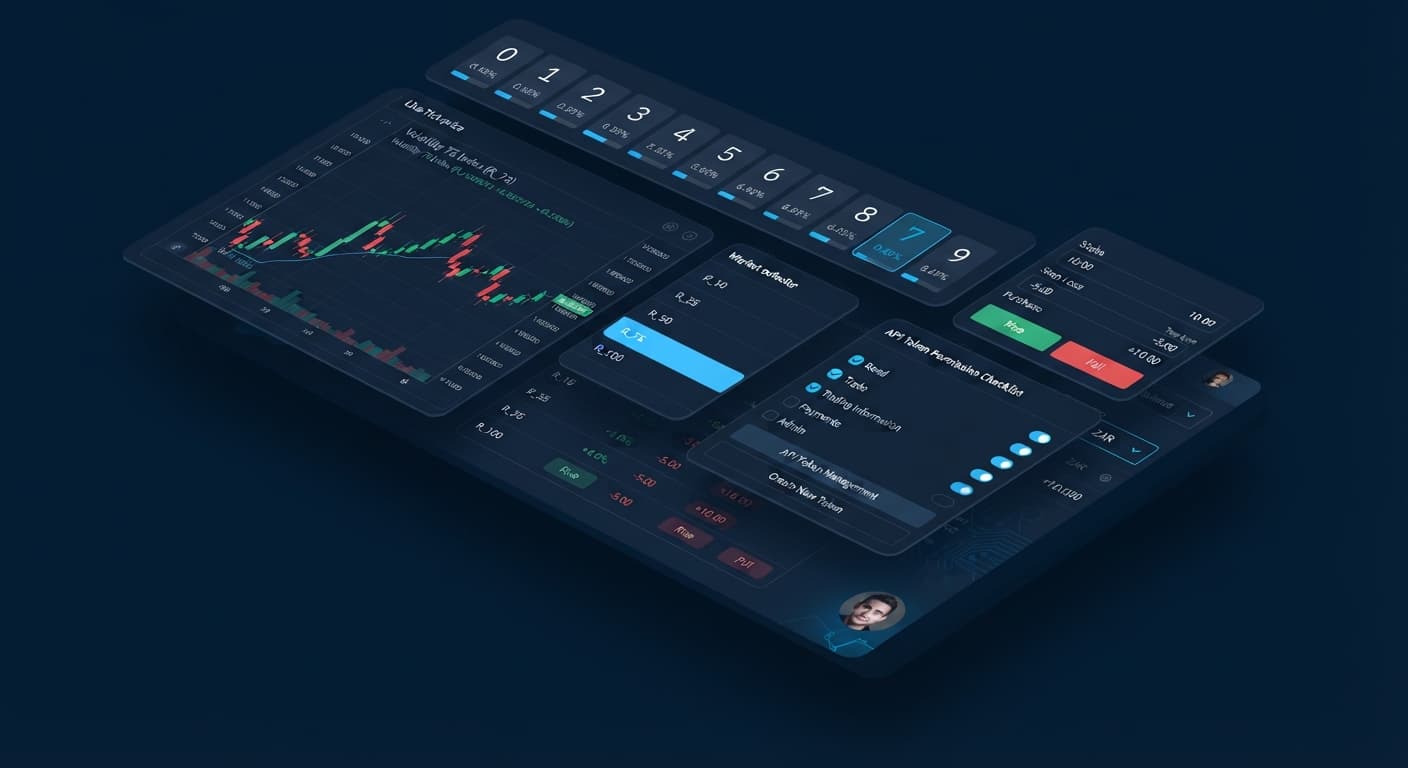
When you create a token inside your Deriv account security tab, you'll see checkboxes for different permission levels: Read, Trade, Payments, Admin, and Trading Information.
If you only tick Read, your bot can pull live digit ticks and render real-time charts, but it will fail the moment it tries to purchase a DIGITMATCH or DIGITDIFF contract. The API returns an authorization error and drops the session.
The Fix: Go back to your Deriv security tab, delete the restricted token, and generate a new one with both Read and Trade scope enabled. Copy that exact string into your bot's token field.
Local internet connections through South African service providers (like Vodacom, MTN, or Telkom) sometimes route traffic through European edge servers before reaching trading hubs. On 1-tick digit strategies, a latency spike above 350 milliseconds causes a socket timeout. The bot drops the active session to protect your balance from delayed fills.
The Fix: Avoid running high-frequency 1-tick digit contracts on unstable LTE or mobile hotspot connections. Switch to fixed fiber lines or use tools that handle disconnects cleanly, such as the LDP Analyzer Pro dashboard.
Deriv supports six specific digit contract types:
Certain contracts, like DIGITMATCH, carry much higher minimum stake floors because of their 1:9 payout structure. Trying to run a DIGITMATCH strategy with a low ZAR stake like R5.00 causes an instant rejection, even if that same amount works fine on DIGITEVEN or DIGITODD.
The Fix: Match your stake size to your selected contract type. Use higher balance allocations for high-barrier predictions, or switch your bot mode back to DIGITEVEN or DIGITODD when testing smaller trade sizes.
If you recently converted your main account from USD to ZAR, or if you switched between a USD demo balance and a ZAR real balance, your browser's local storage might still hold old account headers. The platform tries to execute ZAR contracts using old USD payload formats.
The Fix: Hard refresh your browser page (Ctrl + F5 on Windows or Cmd + Shift + R on Mac). Clear your browser cache for the site or open the free bot library in an incognito window before pasting your API token.
Some built-in bot engines automatically cancel a trading session before sending an order if essential risk boundaries are missing or invalid. Leaving fields like Stop Loss or Take Profit completely empty, or setting a Stop Loss number higher than your entire account balance, can trigger an internal validation failure.
The Fix: Always populate your risk controls with sensible numeric values. For example, set your Stop Loss to 20% of your current session bankroll and your Take Profit to 10% before clicking start.
When you troubleshoot connection drops on deriv bots, you don't need to guess what went wrong. The user interface provides clear status lights, field color changes, and text logs that tell you exactly what's breaking behind the scenes.
| Visual Indicator | Log Message / Status Code | Meaning | Immediate Action Required |
|---|---|---|---|
| Red border on Stake field | Input Validation Error |
Numeric stake is below local ZAR currency floor or contains illegal characters. | Enter a valid ZAR amount (e.g., 15) and restart. |
| Status Dot: Solid Red | Authorization Failed (Invalid Token) |
The API token string is wrong or lacks Trade permissions. | Issue a new token on Deriv with Read + Trade scope enabled. |
| Status Dot: Flashing Yellow | Ping Timeout / Socket Disconnect |
Latency between your SA ISP and the trading server exceeded local threshold. | Refresh browser, verify local fiber/LTE connection, re-connect. |
| Trade Log: Dark Gray Text | Contract Purchase Failed: Balance Insufficient |
Account balance in ZAR is lower than base stake + martingale calculation. | Lower base stake or top up your demo/real balance. |
| Trade Log: Amber Warning Text | Contract Type Mismatch |
Selected bot contract (e.g., DIGITMATCH) does not support current market settings. | Switch contract mode to DIGITEVEN/DIGITODD or increase stake. |
When your system is configured correctly, here is what a working connection state looks like across the dashboard interface:
ZAR 1,500.00).Buying contract: DIGITEVEN, followed immediately by a unique transaction reference code.If your trade log freezes on step 2, check your internet connectivity and latency. If it fails on step 3, re-check your token permissions and minimum ZAR stake limits.
Before placing real money on automated digit trades, test your strategy setup thoroughly on a virtual balance. You can test these exact configurations using automated strategies like Sniper Bot V3 or the multi-contract setup in DualShot without risking real funds.
Try it yourself on the free tools using a demo balance first.
If you don't have one yet, create a free Deriv account.
Trading involves risk. Past performance does not guarantee future results.
Related: Beginner's Guide to Deriv Bots South Africa No Download
Related: Deriv Bots Kenya: Automate Digit Strategies Instantly
Related: Configuring Digit Differ Strategy Using deriv bots india
Related: Best Deriv Bots for Traders in South Africa: Digit Match
Country-specific guidance for Deriv traders — local payment rails, regulator context and the bots that suit each market.
See Bots for Your Country →Your bot likely fails because Deriv enforces a higher numeric minimum stake on ZAR accounts than USD accounts. When default stake figures like 0.35 are passed, it causes local API rejections.
You're getting this error because sending a stake of 0.35 on a ZAR account means you're trading with 35 cents, which falls below Deriv's minimum requirement. Depending on the market, the minimum ZAR stake typically ranges from R10.00 to R15.00.
Open your bot's setup panel, delete any default decimal numbers like 0.35, and type in a whole integer value that meets the local minimum. Setting the baseline to 15 for R15 is usually safe on demo balances.
Connection breakdowns can happen due to missing read and trade API token scope, or because local fiber and LTE routing drops active connections during rapid digit ticks. Reissuing a fully scoped token and updating your base stake will restore active execution.
Guides closest to this one.
Discover best deriv bots for traders in south africa. Learn how to configure DIGITMATCH and DIGITDIFF strategies using ZAR accounts. Try it free today.
Learn how beginners use Deriv Bots South Africa with browser tools and ZAR accounts. Start trading digits with zero downloads. Read the guide today.
Discover deriv bots kenya automation for DIGITODD and DIGITEVEN strategies using M-Pesa funded Deriv accounts on BinaryBot.live. Start trading today.