Digit Analysis
LDP Analyzer Pro Best Time to Trade Deriv Volatilities
Discover the ldp analyzer pro best time to trade Deriv synthetic indices by tracking live heatmap statistical extremes instead of standard market hours.
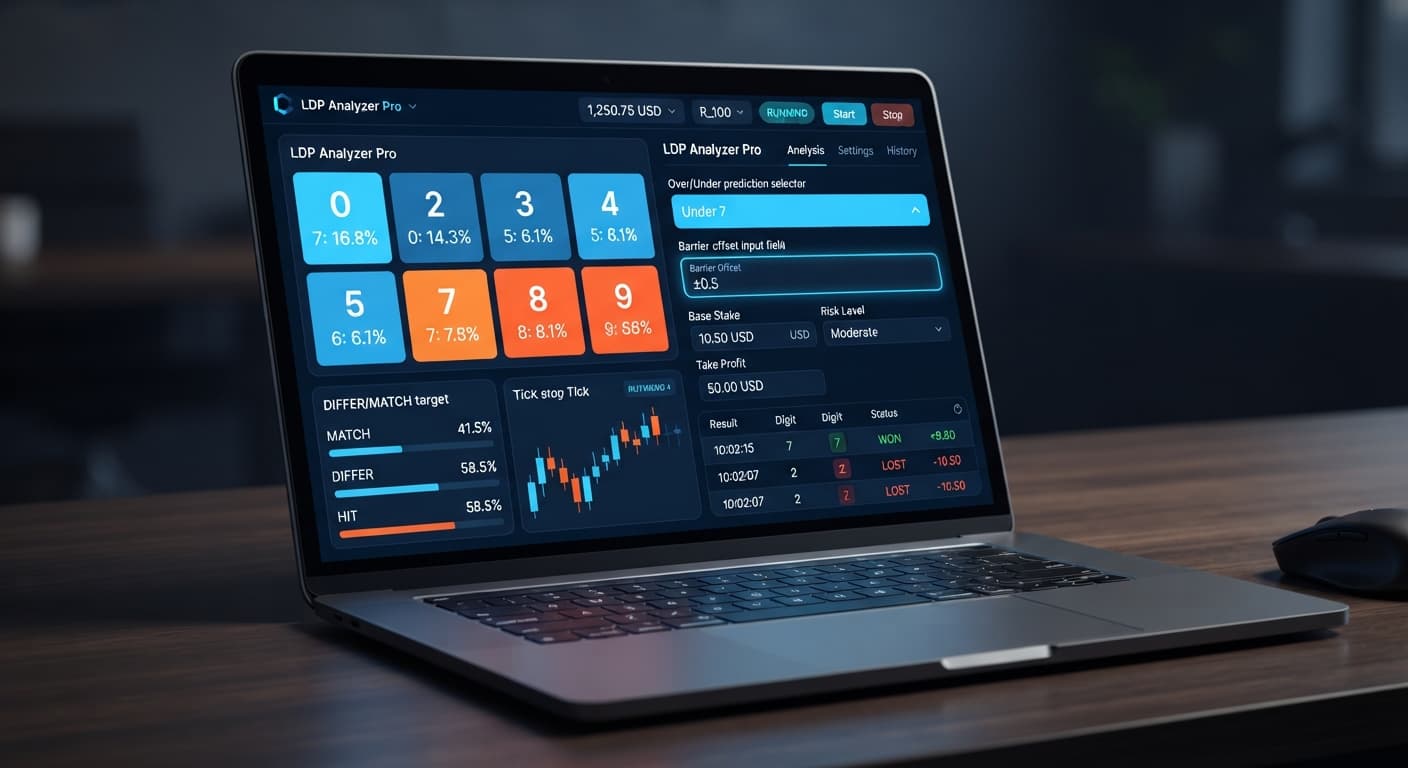
Running ldp analyzer pro on volatility 50 requires balancing barrier thresholds with stake multipliers so you don't blow your balance during short tick runs. To set this up properly, choose Volatility 50 from the market drop-down, select the Over/Under mode, set a Barrier of 2 for DIGITOVER trades, and keep Duration (ticks) set to 10. This gives your contract high-probability coverage while limiting exposure to erratic digit spikes. Automated toolsets built for deriv bots work best when your risk bounds are locked in before hitting start.
Traders often launch automated binary bots with default parameters and watch their account equity disappear within twenty minutes. The standard failure comes from picking a high barrier figure while expecting a low-risk payout. On Volatility 50, every last digit from 0 to 9 has an equal theoretical probability on every tick draw. Past digits don't change what comes next.
If you set your mode to Over/Under and leave the barrier at 5, you're looking at a roughly split probability before accounting for the payout structure. If you push the barrier up to 7 for DIGITOVER contracts, your profit per winning trade goes up, but your hit rate drops to roughly 20%. That means 8 out of 10 digits lose.
When you combine a low win rate with a automated stake multiplier, three or four losses in a row will push your required stake beyond safe account limits. People misjudge how fast stake doubling builds up. They blame market manipulation when the actual culprit was setting an aggressive barrier on a index tick frequency they didn't measure.
To trade Volatility 50 with a defensive bias, structure your strategy around high-probability statistical windows. Using a DIGITOVER strategy with a Barrier set to 2 means digits 3, 4, 5, 6, 7, 8, and 9 result in a winning contract. Only digits 0, 1, and 2 result in a loss. This gives you a 70% theoretical win rate on every tick draw.
The trade-off for this high win frequency is a lower net payout per contract. Because the payout is lower, your stake recovery strategy must be tightly calibrated. If your Multiplier is set too high, one bad series wipes out twenty winning trades. If it's set too low, a single recovery trade won't clear the accumulated losses.
You can inspect the exact configuration values for running ldp analyzer pro on volatility 50 in the setup table below.
| Control Label | Exact Value / Option | Primary Technical Function |
|---|---|---|
| Market | Volatility 50 | Selects the target synthetic index stream |
| Strategy Mode | Over/Under | Enables DIGITOVER and DIGITUNDER trade contract execution |
| Barrier (OVER wins > N, UNDER < N) | 2 | Sets winning digit threshold (Digits > 2 win for DIGITOVER) |
| Prediction | 2 | Defines the numerical digit benchmark |
| Base Stake | $1.00 | Sets the starting trade value (keep to 1% of total account balance) |
| Duration (ticks) | 10 | Sets contract duration to 10 ticks |
| Risk Level | Conservative (1.5x) | Controls stake escalation multiplier on consecutive trade losses |
| Take Profit ($) | $5.00 | Automatically stops the trading script once target gain is reached |
| Stop Loss ($) | $15.00 | Hard equity stop to protect account balance from drawdown |
Open the interface and locate the market selector in the top configuration section. Select Volatility 50 from the drop-down menu, which includes options like Volatility 10, Volatility 25, Volatility 75, Volatility 100, and their 1s variants.
Once the index loads, find the strategy selection panel. Click Over/Under. Selecting this mode shifts the underlying engine from execution types like DIGITEVEN or DIGITODD to DIGITOVER and DIGITUNDER contract evaluation. You'll see the visual digit stream clear and restart its tracking sequence specifically for Volatility 50 ticks.
Locate the input box labeled Barrier (OVER wins > N, UNDER < N). For a defensive DIGITOVER strategy, enter 2.
Next, check the Prediction field and set it to match your barrier threshold at 2. In this configuration, any last digit ending in 3, 4, 5, 6, 7, 8, or 9 triggers a win. If the tick lands on 0, 1, or 2, the contract expires in a loss.
If you prefer trading DIGITUNDER instead, set the barrier to 7. This flips the math: digits 0 through 6 win, while 7, 8, and 9 lose. Never leave these fields blank or set to high central values like 5 while running automated stake recovery algorithms.
Find the Duration (ticks) selector. The platform gives you fixed options: 10, 20, 30, 50, or 100 ticks. Select 10. Short tick durations minimize your market exposure per trade and let you process signals quickly without waiting through extended price cycles.
Move to the monetary settings. Find Base Stake (sometimes referenced alongside Initial Stake or Stake in manual setups). Enter a value equal to no more than 1% of your active balance. On a $100 account balance, enter 1.00.
Entering larger initial values leaves zero breathing room for consecutive loss mitigation. The bot reads this number as its baseline order size for every fresh sequence.
Navigate to the Risk Level control. You'll see three distinct selections: Conservative (1.5x), Moderate (2x), and Aggressive (2.5x). Select Conservative (1.5x).
This selection hardcodes the Multiplier variable used when a trade loses. Under Conservative (1.5x), a $1.00 loss results in a next stake of $1.50. Under Aggressive (2.5x), that same loss jumps your next stake to $2.50.
Using high multipliers on binary bots while trading DIGITOVER with low barriers will drain your account faster than expected. The modest return on high-probability barriers doesn't justify compounding your stake by 2.5x on a loss.
Before clicking start, locate the risk boundary boxes labeled Take Profit ($) and Stop Loss ($) (or Target Profit depending on your display setup).
Enter your target figures based on strict account ratios. For a $100 starting balance:
5.00 (5% session gain).15.00 (15% maximum session drawdown).Once these values are set, launch the bot. The automated engine monitors contract states tick-by-tick. When total net profit hits $5.00, or total net loss hits $15.00, the system kills execution instantly. Setting these values after starting the script is useless because fast market ticks can slip past your intended exit point.
To understand why configuration discipline matters when running ldp analyzer pro on volatility 50, you have to run the actual numbers through a loss sequence.
Assume you open a live session with a $100.00 account balance. You set your Base Stake to $2.00, but you mistakenly set Risk Level to Moderate (2x) instead of Conservative (1.5x), expecting a smooth session trading DIGITOVER with Barrier 2.
Synthetic indices run on independent random draws. Winning seven trades in a row does not lower the odds of losing the eighth. Here is what happens to your account when an unexpected streak of low digits (0, 1, or 2) appears five times in a row:
At Trade 6, the bot's mathematical logic demands a recovery stake of $64.00 (2x the previous $32.00 stake). But your account balance is down to $38.00.
The bot cannot place the contract. Execution halts due to insufficient funds, leaving you with a $62.00 total loss—over 60% of your account wiped out in under two minutes across just five bad ticks. This is why keeping Base Stake tiny and using the Conservative (1.5x) multiplier is mandatory for long-term account survival.
This specific Over/Under setup on Volatility 50 is designed for stable digit distributions. It performs terribly under specific live market conditions, and recognizing those conditions early saves your balance.
Do not run this configuration if the live digit heatmap shows cold digit clustering in your target loss zone. If digits 0, 1, and 2 collectively show a recent appearance frequency above 35% on the analyzer display, running DIGITOVER with Barrier 2 is mathematically inefficient. You're fighting an active statistical trend.
Here is how to adapt when market conditions shift:
Always test new settings parameters, duration shifts, and barrier adjustments on a virtual practice balance before loading your live API key. You can test execution performance across multiple synthetic tools by visiting the free Deriv bot library.
Test this strategy risk-free by launching LDP Analyzer Pro on a virtual account.
If you haven't setup your trading account yet, create a free Deriv account to get started.
Trading involves risk. Past performance does not guarantee future results.
Related: Is LDP Analyzer Pro Safe? Digit Analysis & Matches/Differs Risk
A fast Deriv digit-analysis tool and trading bot with a live 0-9 last-digit heatmap, DIFFER/MATCH targets, even-odd and over-under signals, and a 3-strategy auto-trader with risk controls.
Open LDP Analyzer Pro →Choose Volatility 50 from the market drop-down, select Over/Under mode, and set the barrier to 2 for DIGITOVER trades. Keep the duration at 10 ticks, use a conservative 1.5x stake multiplier, and set your base stake to 1% of your total account balance.
Default settings often use high barriers like 5 or 7, which drop your win rate down to roughly 20%. When you combine a low win rate with an automated stake multiplier, a few consecutive losses will quickly wipe out your account equity.
Setting your barrier to 2 for DIGITOVER contracts means digits 3 through 9 result in a win while only 0, 1, and 2 lose. This gives you a 70% theoretical win rate on every tick draw.
The recommended configuration includes a take profit target of $5.00 to automatically stop the script once reached. It also uses a hard stop loss of $15.00 to protect your account balance from severe drawdowns.
Guides closest to this one.
Discover the ldp analyzer pro best time to trade Deriv synthetic indices by tracking live heatmap statistical extremes instead of standard market hours.
Follow 3 simple steps to run ldp analyzer pro on volatility 10 by linking your Deriv token, setting predictions, and configuring risk controls.
Is LDP Analyzer Pro safe? Technically yes via API security, but financial risk remains high if you run unchecked stake recovery setups.