Auto Trading Bots
Accumulator Bot vs Autopilot: Which Deriv Strategy Wins? (2026)
Choose between accumulator bot vs autopilot by comparing tick-by-tick compound growth on ACCU contracts to automated multi-market execution rules.
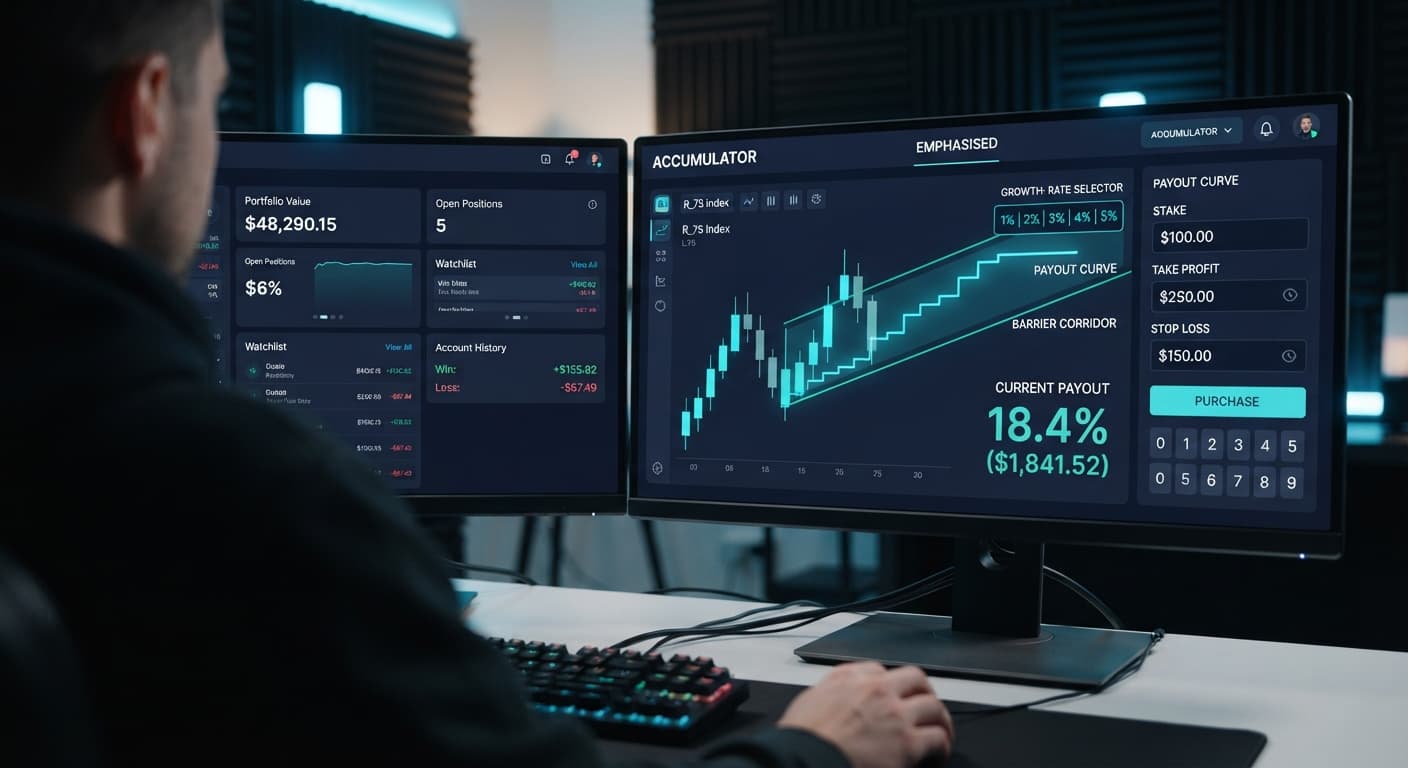
To run an accumulator bot on volatility 100, you need to select the Volatility 100 Index, set a Growth Rate of 1% or 2% to give price sufficient breathing room, and establish strict take profit and stop loss values. Accumulator contracts compound your payout on every tick as long as price remains within a dynamic range, but Volatility 100 moves rapidly enough to hit tight barriers fast. Setting a realistic target profit ensures the bot exits automatically before a sudden price jump breaks the corridor and wipes out your accumulated payout.
Running an accumulator bot on volatility 100 gives traders direct access to rapid compounding, but setting the wrong parameters will drain a balance quickly. Here is how to configure your automated accumulator runs correctly on BinaryBot.live.
The most frequent mistake traders make on Volatility 100 is choosing a 5% Growth Rate to chase quick compounding. On standard ACCU contracts, your payout grows by your chosen percentage after every single tick, provided the market tick stays strictly inside an upper and lower price barrier.
When you set Growth Rate to 5%, Deriv draws a very narrow barrier range around the active price. Volatility 100 has high tick-to-tick variance. In a fast-moving market, price swings across a tight 5% channel within 3 to 6 ticks almost every time. When price breaches that boundary, the contract closes instantly, and your entire stake for that trade is lost.
Choosing a 1% or 2% Growth Rate widens the price corridor significantly. You compound slightly slower per tick, but your trade stays alive through normal market noise. Paying for speed with a narrow range on a high-volatility index usually results in repeated early knockouts.
To set up a stable run, you need to configure four core controls on the interface before starting automated execution. Each parameter directly impacts how long your trade can survive and when your profit gets secured.
The exact on-screen settings interact in a specific sequence:
When comparing different setup profiles on Volatility 100, the tradeoff between growth percentage and corridor width becomes obvious.
| Growth Rate Selected | Barrier Range Width | Average Trade Lifetime | Primary Risk Level | Recommended Usage |
|---|---|---|---|---|
| 1% | Maximum | Longest (15–50+ ticks) | Lowest knockout risk | Base strategy for Volatility 100 |
| 2% | Moderate | Moderate (10–25 ticks) | Balanced risk profile | Conservative sessions |
| 3% | Narrow | Short (5–15 ticks) | Elevated risk | Short duration targets only |
| 4% | Very Narrow | Very Short (3–8 ticks) | High risk | Unstable on Volatility 100 |
| 5% | Tightest | Extreme Short (1–5 ticks) | Maximum risk | Frequent early knockouts |
Setting a 1% Growth Rate gives Volatility 100 trades the widest possible cushion. If you are building a routine across various deriv bots, starting with wide boundaries is always the safer path.
Open the Accumulator Bot dashboard in your browser. The tool runs directly inside your web browser and connects straight to Deriv over their official API using your personal account token. No funds ever pass through BinaryBot.live; every contract executes directly on your own Deriv account.
Paste your API token into the authentication box and connect. You can toggle between your demo account and your real account inside your Deriv account settings. Always start on virtual demo funds to verify your configuration before placing live trades.
Under the market selection menu, pick Volatility 100 Index. BinaryBot.live supports standard volatility indices as well as 1s volatility indices for ACCU contracts.
Volatility 100 ticks once every 2 seconds. Unlike continuous forex assets, synthetic indices rely on cryptographic random number generators. Past tick trends or recent digit counts don't alter the probability of the next price tick. Synthetic index ticks are completely independent draws, so your entry point does not guarantee range stability.
Navigate to the Growth Rate menu and select 1% or 2%.
If you select 1%, your contract stake grows by 1% for every 2-second tick that stays inside the dynamic envelope. On Volatility 100, this wide channel gives price the space it needs to fluctuate without triggering an immediate knockout.
Avoid selecting 4% or 5% on this index unless you are targeting very short durations of 2 to 3 ticks. High growth rates force tighter boundaries that Volatility 100 breaks easily.
Before launching the script, enter your risk boundaries into the input fields:
Never click start without defining these controls first. Setting limits after starting leaves your balance exposed if a trade runs longer than planned.
Click start to run the bot on your Deriv virtual demo account. Watch how the log updates with every 2-second tick.
Observe how fast your take profit triggers relative to price spikes on the chart. If you notice price breaking the barrier range before hitting your individual trade profit limit, lower your take profit parameter or lower your Growth Rate. Once your demo testing shows consistent execution that fits your risk tolerance, you can switch to real funds.
Understanding time on synthetic markets is critical. Unlike basic binary bots that focus on immediate high/low outcomes, an accumulator trade is a race against duration. The longer a trade stays open, the higher the chance that an outlying price tick breaks the boundary.
Volatility 100 generates a tick exactly every 2 seconds. The table below illustrates how tick counts translate to actual clock time, payout compounding, and relative barrier exposure on a 1% Growth Rate trade.
| Tick Count | Elapsed Clock Time | compounding Status (at 1% Rate) | Market Price Behavior & Barrier Dynamics |
|---|---|---|---|
| 1 Tick | 2 Seconds | Stake + 1.00% | Trade opens. Initial price corridor established around entry tick. |
| 5 Ticks | 10 Seconds | Stake + 5.10% | Dynamic corridor moves with price center. Low knockout risk. |
| 10 Ticks | 20 Seconds | Stake + 10.46% | Compound acceleration begins. Price approaches local swing highs/lows. |
| 20 Ticks | 40 Seconds | Stake + 22.02% | Corridor has shifted multiple times. Variance probability increases. |
| 30 Ticks | 60 Seconds | Stake + 34.78% | 1 full minute elapsed. High chance of encountering a wide tick spread. |
| 50 Ticks | 100 Seconds | Stake + 64.46% | Extended duration exposure. Significant likelihood of range breach. |
Because Volatility 100 travels fast, holding a contract for 50 ticks (100 seconds) exposes you to severe range expansion. Aiming for smaller, regular gains over 10 to 15 ticks (20 to 30 seconds) significantly reduces early knockout events.
An accumulator bot on volatility 100 is not suitable for every market environment or trading style. There are specific conditions where running this setup is the wrong choice.
First, do not run accumulators during aggressive breakout conditions or sharp vertical trends. While the ACCU range adjusts as price moves, a sudden violent tick outside the calculated envelope will instantly liquidate the trade payout. If Volatility 100 is making large, erratic jumps on the chart, barrier ranges break far more frequently.
Second, accumulators are the wrong selection if you rely on fixed-payout trades or directional prediction. Accumulators do not pay out based on whether price ends up higher or lower than entry; they pay out based on range containment over elapsed ticks. If you want a fixed cash return on a simple directional pick, traditional option contracts are a better match.
Finally, never run an automated session without hard limits in place. The Accumulator Bot on BinaryBot.live does not use stake recovery multipliers or martingale progression steps—it strictly trades your configured parameters. If you enter an invalid stop loss or leave it empty, a series of consecutive contract knockouts will drawdown your balance unchecked.
Test your settings on a demo balance first on Accumulator Bot to see how the execution performs.
If you don't have an active account yet, create a free Deriv account to start testing on virtual funds.
Trading involves risk. Past performance does not guarantee future results.
Related: Accumulator Bot vs Autopilot: Which Deriv Strategy Wins? (2026)
Free automated accumulator trading bot for Deriv with take profit, target profit and stop loss controls, plus real-time chart analysis for volatility indices.
Open Accumulator Bot →You should use a 1% or 2% growth rate. These lower values widen the price corridor so your trade can survive normal market noise, whereas a 5% rate creates a narrow barrier that leads to frequent early knockouts on Volatility 100.
Your bot's accumulator contracts are likely getting knocked out because you chose a high growth rate like 5%, which draws a very narrow barrier range. Volatility 100 moves rapidly enough to breach tight channels within just a few ticks, instantly wiping out your stake.
The take profit setting is the payout threshold for an individual accumulator contract that closes the trade automatically. The target profit is the cumulative net session profit goal that halts trading entirely once reached.
You can protect your balance by setting strict take profit, target profit, and stop loss values before starting the Accumulator Bot. The stop loss parameter sets your maximum total session drawdown allowed, stopping the bot immediately if net losses hit that limit.
Guides closest to this one.
Choose between accumulator bot vs autopilot by comparing tick-by-tick compound growth on ACCU contracts to automated multi-market execution rules.
Learn how to configure the accumulator bot on volatility 10 index with binary bots. Master deriv automation and execute free deriv bot strategies today.
Master your accumulator bot stop loss setup on Deriv volatility indices. Learn step-by-step configuration to manage risk. Try our free platform today.