Strategies & Risk
Best Over Under Settings for Binary Bots (2026)
Use DIGITOVER 2 with a 5-tick duration and Multi Shot's Recovery to find the best over under settings for binary bots on Deriv.
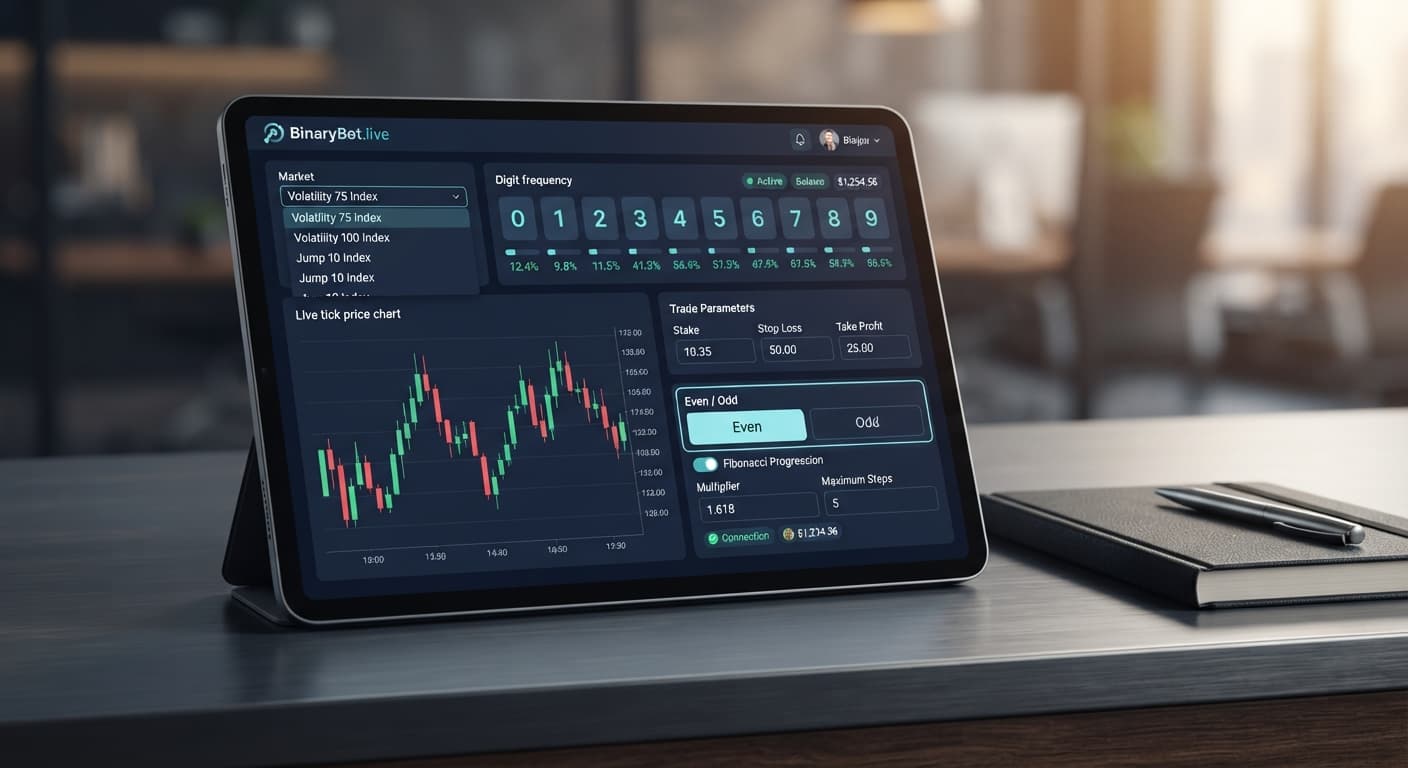
To lock in the best even odd settings for binary bots on Deriv, set your contract type to DIGITEVEN or DIGITODD, select Fibonacci money management with a max ladder level of 5 or 6, set your target profit to 5% of your account balance, and cap your stop loss at 15%. This setup avoids the aggressive sizing jumps seen in standard progressions while taking advantage of near-50% probability payouts. Always run these parameter combinations on a virtual account first to verify execution before committing real capital.
Getting optimal results from digit trading requires precise configuration rather than guessing. When you launch a bot on BinaryBot.live, the underlying system connects directly to Deriv over their official API using your private token. The bot places trade instructions straight onto your personal Deriv account, meaning accuracy in your initial setup panel is critical.
When you open tools like Solid Trading Bot or select an automated script from the free bot library, the interface breaks down into four essential adjustment areas. Understanding what each section handles keeps you from making adjustments that compromise execution speed or run up unnecessary risks.
+-----------------------------------------------------------------------+
| 1. MARKET & ASSET SELECTION                                           |
|    Select Synthetic Index (e.g., Volatility 10, Volatility 100)       |
+-----------------------------------------------------------------------+
| 2. CONTRACT TYPE CONFIGURATION                                        |
|    Select Contract: DIGITEVEN or DIGITODD                             |
|    Set Trade Duration: 1 Tick                                         |
+-----------------------------------------------------------------------+
| 3. MONEY MANAGEMENT SETTINGS                                          |
|    Select Mode: Fibonacci                                             |
|    Base Stake: $1.00  |  Multiplier Mode: Sequence Step               |
+-----------------------------------------------------------------------+
| 4. RISK CONTROL LIMITS                                                |
|    Target Profit: $5.00  |  Stop Loss: $15.00  | Max Ladder Level: 5  |
+-----------------------------------------------------------------------+
Here is how each panel on your dashboard dictates trade execution:
Open your bot interface and locate the API token field at the top of the dashboard. Paste your Deriv API token into the prompt to establish a direct connection to your balance.
Once connected, navigate to the market selection menu and select Volatility 10 Index. You can verify that the asset stream is live by watching the tick stream update at the top of the display. Volatility 10 Index generates clean, single-second tick outputs that suit high-frequency digit automation without overburdening your browser connection.
Head to the contract selection settings and toggle your trade mode to DIGITEVEN or DIGITODD. Avoid mixing contract types within a single logic run when setting up basic digit algorithms.
Set your trade duration strictly to 1 tick. Digit contracts settle on the very last tick of the trade duration; stretching a digit contract across multiple ticks adds unnecessary exposure without offering any statistical payout advantage. Ensure the prediction field remains locked, as odd/even contracts cover five winning outcomes out of ten possibilities automatically.
Locate the money management drop-down menu and switch the mode from Fixed Stake or Martingale to Fibonacci. The Fibonacci framework offers a disciplined structure for binary bots because it moves up one step in the sequence after a losing trade and steps back two places following a winning trade.
Enter your base stake in the initial stake field. If your trading balance sits at $100, set your base stake to $1.00. This ensures your initial contract size represents exactly 1% of your available funds, giving your strategy room to manage natural variance.
Move to the risk control panel to define your hard execution boundaries. In the target profit field, enter an amount equal to 5% of your current balance—for a $100 balance, type $5.00.
Next, set your stop loss limit to $15.00 (15% of total balance). Finally, set the max ladder level setting strictly to 5 or 6. Capping the ladder level prevents the algorithm from scaling up stakes beyond the fifth or sixth step of the sequence, cutting off long drawdown runs before they impact your main balance.
Before clicking the start button on live capital, toggle the environment switch to your Deriv virtual account. Click start and let the bot run through at least 15 to 20 completed trades.
Watch the log window to verify that the script executes trades smoothly, updates stake sizes according to the Fibonacci sequence on losses, and resets properly upon reaching a win or hitting your target profit. Once you've confirmed that the setup behaves as expected without execution delays, you can safely apply the configuration to live markets.
Not all synthetic markets handle digit setups identically. Tick generation speeds and digit variance across different volatility indices affect how smoothly your trades settle. The table below compares three primary choices available on automated platforms:
| Market Asset | Tick Generation Interval | Digit Spread Uniformity | Recommended Duration | Overall Setup Suitability |
|---|---|---|---|---|
| Volatility 10 Index | 1 Second | High (Balanced 0-9 distribution) | 1 Tick | Optimal — Consistent rhythm, reliable execution speed. |
| Volatility 75 Index | 1 Second | Moderate (Prone to short digit clusters) | 1 Tick | Caution — Higher price jumps can feel erratic during quick sequences. |
| Volatility 100 Index | 1 Second | High (Fast tick turnaround) | 1 Tick | Good — Excellent alternative, though tick traffic can occasionally lag weak connections. |
Volatility 10 Index serves as the best target for this strategy. Its smooth tick feed keeps contract execution aligned with your local timer, minimizing network latency issues. Conversely, Volatility 75 Index exhibits rapid price movements that make digit tracking less predictable for traders who like reviewing recent tick logs visually.
When your script runs, the transaction log panel updates after every tick. A healthy system displays continuous tick receipts, active contract placement IDs, and precise balance updates. Here is what an active, properly functioning trade stream looks like in your execution monitor:
[10:14:02] Connected: Deriv API Session Verified
[10:14:03] Tick Received: Volatility 10 Index -> Last Digit [4]
[10:14:03] Contract Placed: DIGITEVEN | Stake: $1.00 | ID: #30982201
[10:14:04] Contract Settled: Last Digit [8] -> WIN | Payout: +$0.96
[10:14:05] Sequence Reset: Returning to Base Stake ($1.00)
If your bot suddenly stops placing contracts mid-session, do not immediately restart the page. Check these three common causes first:
You can analyze real-time digit stats, check digit distributions, and inspect patterns using the free LDP Analyzer or upgrade to advanced metrics with LDP Analyzer Pro to refine your timing.
Test these configurations on the free tools using a demo balance before trading real money.
If you don't have an active trading account yet, create a free Deriv account to get started.
Trading involves risk. Past performance does not guarantee future results.
Related: Even Odd vs Over Under: Setup Guide for BinaryBot.live
Related: Even Odd Strategy Deriv Bots on Volatility 10 (1s) Index
How the strategies behind the bots actually work — Digit Differs, Over/Under, Even/Odd, Rise/Fall, and the money management that decides whether they survive a losing streak.
Try 9 Strategies on Solid →Set your contract type to DIGITEVEN or DIGITODD, use Fibonacci money management with a max ladder level of 5 or 6, set your target profit to 5% of your account balance, and cap your stop loss at 15%. This configuration helps you avoid aggressive sizing jumps while taking advantage of near-50% probability payouts.
You should select Fibonacci as your money management mode. This scales your stakes along the traditional integer sequence of 1, 1, 2, 3, 5, 8 rather than immediately doubling them after a loss.
Set your target profit to 5% of your account balance and cap your stop loss at 15%. You should also set your max ladder level to 5 or 6 to maintain proper risk control limits.
The bot connects directly to Deriv over their official API using your private token, which you enter into the API token field at the top of the dashboard. This allows the bot to place trade instructions straight onto your personal account.
Guides closest to this one.
Use DIGITOVER 2 with a 5-tick duration and Multi Shot's Recovery to find the best over under settings for binary bots on Deriv.
Even odd vs over under digit trades on BinaryBot.live: compare 50% fixed payouts and flexible probability barrier setups across 5 configuration steps.
Four exact parameters form the best digit match settings for binary bots: 1% stake, Multi Shot Recovery, Max Ladder Level 3, and 15% to 20% stop loss.