
Strategies & Risk
Even Odd Strategy Deriv Bots on Volatility 10 (1s) Index
Deploying even odd strategy deriv bots on the Volatility 10 (1s) Index targets 50/50 probability digit payouts with a fast 1-second tick speed.
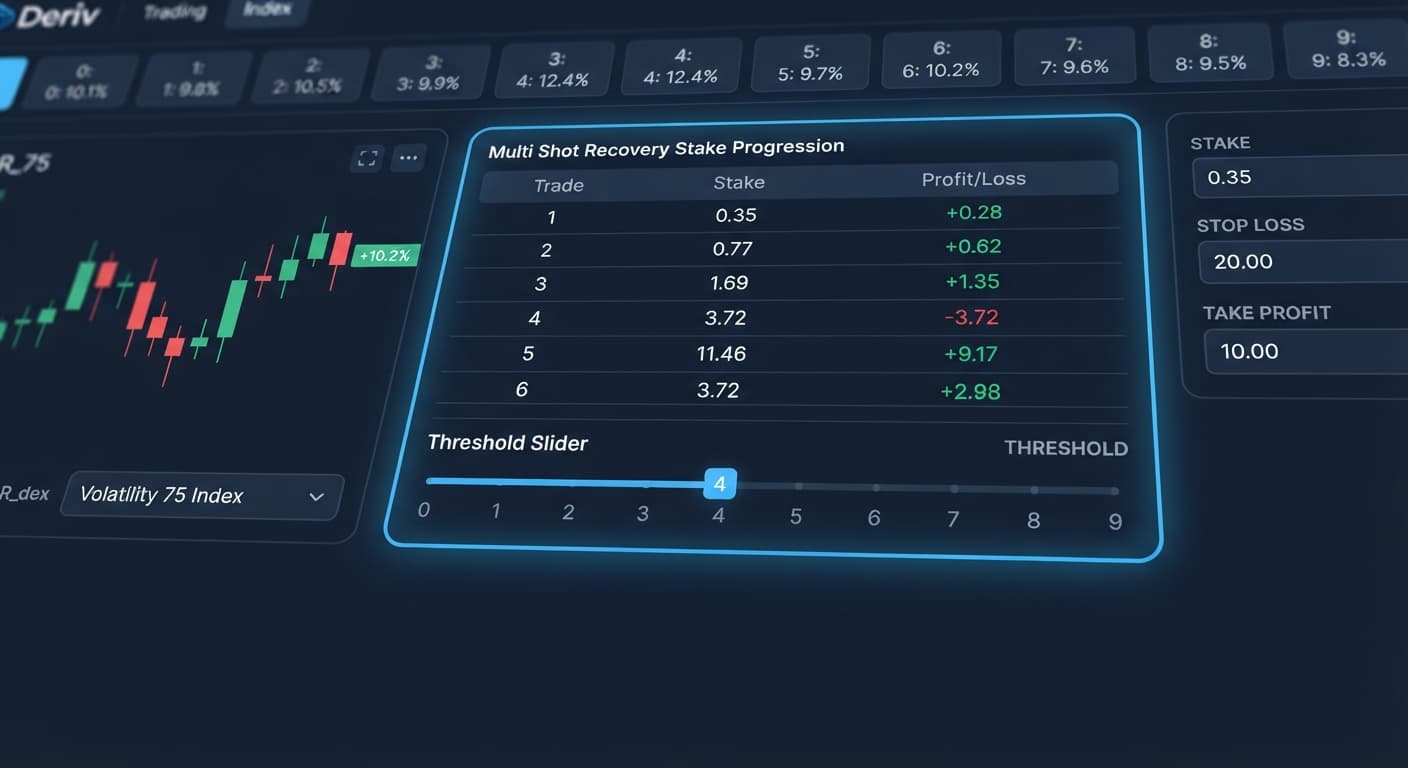
The best over under settings for binary bots use an asymmetric barrier setup—specifically DIGITOVER 2 or DIGITUNDER 7—paired with a 5-tick duration, Multi Shot's Recovery money management, a Stop Loss capped at 15% of your bankroll, and a Target Profit set at 5%. This configuration targets traders who want a high statistical win probability per contract while using payout-proportional stake recovery rather than destructive martingale multipliers. When running binary bots on Deriv, execution happens instantly because the web dashboard connects directly to Deriv over their official API using your private access token. Your capital stays safely inside your account at all times.
The single most important setting you'll choose is your prediction barrier digit. Everything else in your execution script flows directly from this single number. If you pick DIGITOVER 5, you're placing trades on a contract with a 40% mathematical chance of winning (digits 6, 7, 8, 9 win). That structure pays out at roughly 140% profit per winning trade, but it subjects your balance to long losing streaks.
Conversely, setting DIGITOVER 2 gives you a 70% static win probability (digits 3, 4, 5, 6, 7, 8, 9 win). The payout drops to roughly 38% per win, but your streak resistance increases dramatically.
+-------------------------------------------------------------------+
| PREDICTION DIGIT (DIGITOVER) vs STATISTICAL WIN RATE              |
+-------------------------------------------------------------------+
| Prediction: 1 | [2][3][4][5][6][7][8][9] -> 80% Win Rate          |
| Prediction: 2 |    [3][4][5][6][7][8][9] -> 70% Win Rate          |
| Prediction: 5 |          [6][7][8][9]    -> 40% Win Rate          |
+-------------------------------------------------------------------+
Getting this threshold wrong ruins your automation before it takes a single tick. If you configure a aggressive money management system like Martingale while buying DIGITOVER 5 contracts, a six-loss streak will wipe out standard account balances. When choosing the best over under settings for binary bots, lock in your probability base first. Align your risk tolerance with either a high-frequency, low-payout model (DIGITOVER 1 or 2) or a low-frequency, high-payout model (DIGITOVER 6 or 7). Mixing trade modes without adjusting money management guarantees account drawdown.
Navigate to your web dashboard on the free bot library and select your target instrument from the market list. Pick Volatility 100 Index for consistent tick spacing and fast execution. Under the trade mode drop-down, select DIGITOVER.
+-------------------------------------------------------------------+
| CONTROL PANEL: MARKET CONFIGURATION                               |
+-------------------------------------------------------------------+
| Market:         Volatility 100 Index                            |
| Contract Type:  DIGITOVER                                         |
+-------------------------------------------------------------------+
After making this selection, the control panel updates to show specific digit parameters. The active market status indicator turns green, confirming your interface is connected directly to Deriv over their official API.
In the parameter fields, set your contract duration to 5 ticks. Next, enter 2 in the Prediction field. This tells the system to execute trades that win whenever the final digit of the fifth tick lands on 3, 4, 5, 6, 7, 8, or 9.
+-------------------------------------------------------------------+
| CONTROL PANEL: PARAMETERS                                         |
+-------------------------------------------------------------------+
| Duration:       5 Ticks                                           |
| Prediction:     2                                                 |
+-------------------------------------------------------------------+
Once entered, the summary screen updates to display an estimated payout return of approximately 38% on successful contracts. You'll see the trade logic display confirm: Contract DIGITOVER 2 | Duration 5 Ticks.
Scroll down to the money management module and switch the mode from Fixed Stake to Multi Shot's Recovery. Enter a Base Stake of $1.00.
+-------------------------------------------------------------------+
| CONTROL PANEL: MONEY MANAGEMENT                                   |
+-------------------------------------------------------------------+
| Strategy:       Multi Shot's Recovery                             |
| Base Stake:     $1.00                                             |
+-------------------------------------------------------------------+
Multi Shot's Recovery handles losses far better than strict multipliers. When a contract loses, the system calculates the exact stake needed on the next trade based on the live 38% payout rate. Instead of blindly doubling, it expands the stake just enough so a single win completely recovers the prior loss plus the base profit target.
Locate the risk controls section. Set your Target Profit to $5.00 and your Stop Loss to $15.00. Next, cap the Max Ladder Level at 4.
+-------------------------------------------------------------------+
| CONTROL PANEL: RISK CONTROLS                                      |
+-------------------------------------------------------------------+
| Target Profit:  $5.00                                             |
| Stop Loss:      $15.00                                            |
| Max Ladder Level: 4                                               |
+-------------------------------------------------------------------+
The screen now displays your active safety parameters in red and green header cards. If your session hits four consecutive recovery attempts, the bot halts automatically rather than risking larger account percentages.
Click the Start Bot button at the top of the interface. The trade log drawer slides open from the right side of your screen.
+-------------------------------------------------------------------+
| LIVE RUNTIME LOG                                                  |
+-------------------------------------------------------------------+
| Status: Connected                                                 |
| Active Account: Demo (VRTC1234567)                                |
| Initial Stake: $1.00                                              |
+-------------------------------------------------------------------+
Verify that the first line in the log shows a successfully placed contract on your virtual balance. You'll watch real-time tick markers count down from 1 to 5 before the final digit prints and settles the contract.
Before deploying any automated setup on a real balance, you need to verify digit activity. Running a tool like LDP Analyzer Pro lets you observe tick behavior over custom samples. Below is an actual 500-tick frequency reading recorded on Volatility 75 Index.
| Last Digit | Occurrences | Sample Percentage | Statistically Expected | Deviation |
|---|---|---|---|---|
| 0 | 42 | 8.4% | 10.0% | -1.6% |
| 1 | 38 | 7.6% | 10.0% | -2.4% |
| 2 | 41 | 8.2% | 10.0% | -1.8% |
| 3 | 58 | 11.6% | 10.0% | +1.6% |
| 4 | 53 | 10.6% | 10.0% | +0.6% |
| 5 | 49 | 9.8% | 10.0% | -0.2% |
| 6 | 57 | 11.4% | 10.0% | +1.4% |
| 7 | 54 | 10.8% | 10.0% | +0.8% |
| 8 | 52 | 10.4% | 10.0% | +0.4% |
| 9 | 56 | 11.2% | 10.0% | +1.2% |
In this sample, digits 0, 1, and 2 ran noticeably cold, taking up only 24.2% of total ticks combined. Digits 3 through 9 dominated the run, appearing 75.8% of the time. On your screen, the digit analyzer displays this as a distribution graph where digits 0-2 show short blue bars while digits 3, 6, and 9 trigger red "hot digit" flags.
DIGIT FREQUENCY GRAPH (500 TICKS)
[0] 42  ■■■■■■■
[1] 38  ■■■■■■
[2] 41  ■■■■■■■
[3] 58  ■■■■■■■■■■  <-- HOT
[4] 53  ■■■■■■■■■
[5] 49  ■■■■■■■■
[6] 57  ■■■■■■■■■■  <-- HOT
[7] 54  ■■■■■■■■■
[8] 52  ■■■■■■■■■
[9] 56  ■■■■■■■■■   <-- HOT
If you were running a DIGITOVER 2 strategy during this period, your system would have picked up a higher win rate than its baseline expectation.
However, you must remember one fundamental rule of synthetic indices: every tick is completely independent. The fact that digits 0, 1, and 2 appeared only 24.2% of the time over these 500 ticks gives them zero mathematical bias on tick 501. The generator doesn't "remember" cold digits, nor does it compensate for warm ones. Frequency charts show you short-term variance that occurred in the past; they never predict future outcomes. Use these readings to understand variance drift, not as a guarantee of upcoming winning runs.
After running your initial automated session on a demo balance, you'll likely need to make practical adjustments based on real session logs. Here are three adjustments experienced traders apply to refine their operation.
If you notice rapid losing sequences during fast-moving market hours, switch your target parameter from DIGITOVER 2 to DIGITOVER 1, or flip to DIGITUNDER 8. While this lowers your payout yield to roughly 23%, it expands your mathematical winning space to 80%. This buffers your run against short-term cluster spikes where low digits land repeatedly.
If you plan on running automated deriv bots across multiple charts simultaneously, switch your stake strategy from Multi Shot's Recovery back to Fixed Stake. Multi-chart recovery creates compounding margin requirements if two bots hit consecutive losses at the exact same moment. Fixed Stake keeps your maximum exposure completely flat, regardless of market conditions.
If your target session balance is small, lower your Max Ladder Level control from 4 down to 2. On low-payout DIGITOVER contracts, recovery stakes climb faster than on standard 1:1 Rise/Fall trades. Setting a tight ladder cap ensures that a rare cold streak halts the script immediately, preserving 80% or more of your bankroll so you can fight another day.
To test these tweaks risk-free, open the Solid Trading Bot dashboard on your virtual balance first. If you don't have an active trading balance yet, create a free Deriv account to start testing.
Trading involves risk. Past performance does not guarantee future results.
Related: Even Odd Strategy Deriv Bots on Volatility 10 (1s) Index
Related: Best Digit Match Settings for Binary Bots (2026)
Related: Why Your Rise Fall Strategy Is Not Working on Deriv Bots
How the strategies behind the bots actually work — Digit Differs, Over/Under, Even/Odd, Rise/Fall, and the money management that decides whether they survive a losing streak.
Try 9 Strategies on Solid →The optimal setup uses an asymmetric barrier like DIGITOVER 2 or DIGITUNDER 7 paired with a 5-tick duration. You should also use Multi Shot's Recovery money management, a Stop Loss capped at 15% of your bankroll, and a Target Profit of 5%.
Setting DIGITOVER 2 gives you a static win probability of 70% because digits 3 through 9 result in a win. This lower-risk structure pays out roughly 38% profit per winning trade while dramatically increasing your streak resistance.
You should pick the Volatility 100 Index from the market list for its consistent tick spacing and fast execution. Make sure to select DIGITOVER under the trade mode drop-down after choosing your market.
The web dashboard connects directly to Deriv over their official API using your private access token for instant execution. Your capital remains safely inside your account at all times while the bot runs.
Guides closest to this one.
Deploying even odd strategy deriv bots on the Volatility 10 (1s) Index targets 50/50 probability digit payouts with a fast 1-second tick speed.
Set DIGITEVEN or DIGITODD with Fibonacci money management and a max ladder level of 5 to configure the best even odd settings for binary bots on Deriv.
Four exact parameters form the best digit match settings for binary bots: 1% stake, Multi Shot Recovery, Max Ladder Level 3, and 15% to 20% stop loss.