Strategies & Risk
Best Over Under Settings for Binary Bots (2026)
Use DIGITOVER 2 with a 5-tick duration and Multi Shot's Recovery to find the best over under settings for binary bots on Deriv.
A rise fall strategy deriv bots script usually fails for two reasons: tick duration mismatch and aggressive stake sizing. When market momentum stalls, short 1-tick to 5-tick Rise/Fall (CALL/PUT) contracts turn into coin flips where payout friction slowly drains your balance. You fix this by switching your money management to Fixed Stake, capping your session with a firm Stop Loss, and extending your trade duration beyond immediate noise.
When a directional execution goes wrong, your automated runner usually doesn't throw a clear warning message. Instead, it places trades into sideways chop, hit rate drops below the 55% breakeven point, and your account suffers steady drawdown. Connecting your token via our automated runner connects directly to Deriv over their official API, which means every contract fires instantly—including bad ones.
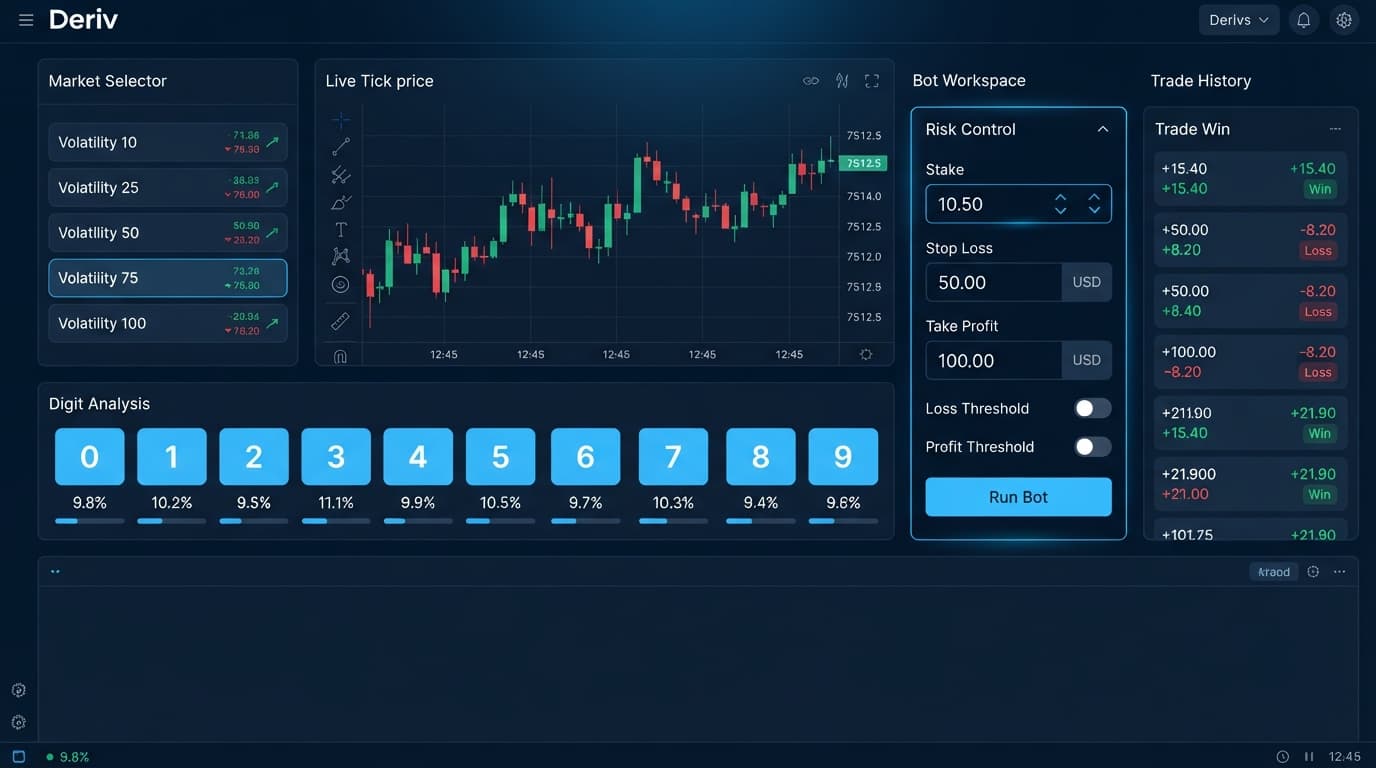
Diagnosing automated trade failures starts with reading the live visual outputs correctly. When you run automated strategies on our free bot library, the interface provides real-time state feedback through the contract log and status panel.
| Screen State | Trade Log Output | Actual System Event | Recommended Action |
|---|---|---|---|
| Red status indicator flashing | Error: Contract execution delayed |
WebSocket frame queue congestion | Pause the bot and refresh your API token connection. |
| Consecutive loss sequence (5+) | CALL Lost - Exit spot below entry spot |
Market ranging; contract duration too short | Pause bot; increase tick duration from 1-5 ticks to 10+ ticks. |
| Stake suddenly increases | Stake: 2.12 USD (Level 3) |
Martingale mode active after drawdown | Switch money management mode back to Fixed Stake. |
| Bot halts immediately | Stop Loss reached: -$20.00 |
Risk control triggered | Review session performance on demo before restarting. |
If your trade log shows high execution latency or repeated losses during tight consolidation, your strategy is fighting short-term market noise rather than catching clear directional moves.
Fixing your execution model requires adjusting trade duration and isolating your capital from rapid drawdowns. Follow these steps on AutoPilot or Solid Trading Bot to clean up your execution parameters.
Navigate to the parameter panel on screen. Locate the money management dropdown and change your setting from Martingale or Fibonacci to Fixed Stake. Fixed Stake prevents your execution engine from multiplying your trade amount after a loss. If your base trade is $1.00, every single CALL or PUT contract remains exactly $1.00 regardless of previous outcomes.
Find the risk management inputs directly below the stake section. Set your Target Profit to 10% of your current account balance and your Stop Loss to 15% of your balance. On a $100 account, enter 10 in the Target Profit field and 15 in the Stop Loss field. Once either threshold is hit, the engine cuts execution immediately.
Locate the duration input field. Avoid 1-tick or 2-tick trade settings on volatile markets like Volatility 75 Index. Change your contract duration to at least 5 to 10 ticks, or switch to minute-based durations. This gives the underlying synthetic asset enough time to clear entry spot noise.
Toggle your connection switch to your Deriv virtual account. Click the run button and allow the bot to execute a minimum of 20 consecutive trades while you observe execution speed and log outputs.
Even when your settings look fine on the surface, underlying contract settings and execution choices can destroy your profit margin.
Many traders run Rise/Fall contracts on 1-tick durations thinking it speeds up profit generation on binary bots. On Volatility 100 Index or Volatility 75 Index, 1-tick trades fail because micro-spreads and instant tick reversals result in random outcomes.
The Fix: Increase trade duration to 5 ticks or higher. If you want even smoother directional trends, move up to 1-minute or 2-minute durations. This gives your entry signal time to move into profit before contract expiry.
If your trading log lags behind price movements, your web browser may be throttling background execution. When your browser throttles background tasks, execution commands delay, causing your bot to enter Rise/Fall trades late.
The Fix: Keep the trading tab open in a active window. If the green connection light drops or shows delayed responses, disconnect, refresh the page, and paste your API token back into Solid Trading Bot to re-establish clean communication.
When running automated deriv bots, traders often combine directional strategies with aggressive recovery options like Martingale or D'Alembert. In a flat, sideways market, a Rise Fall bot will alternate between wins and losses, driving the Max Ladder Level up rapidly until it hits account limits.
Fixed Stake vs Martingale Execution in Ranging Markets

Fixed Stake Mode:
Trade 1: Loss (-$1.00)
Trade 2: Loss (-$1.00)
Trade 3: Loss (-$1.00)
Trade 4: Win  (+$0.95)
Total Session Impact: -$2.05

Martingale Mode (2.1x Multiplier):
Trade 1: Loss (-$1.00)
Trade 2: Loss (-$2.10)
Trade 3: Loss (-$4.41)
Trade 4: Win  (+$8.80)
Total Session Impact: +$1.29 (High risk: $16.31 cumulative exposure)
The Fix: Stick to Fixed Stake when trading Rise/Fall directional models. If you insist on using stake escalations, hard-cap your Max Ladder Level to 3 cycles maximum.
Synthetic index assets run on algorithmic drivers that construct continuous market trends and sudden mean-reversions. If your script places continuous CALL options while the index is printing lower lows on higher timeframes, your win rate will fall far below 50%.
The Fix: Inspect the asset chart on Deriv before starting your runner. If the market shows consistent lower highs, configure your automated runner to place PUT contracts exclusively, or halt trading until a clear trend emerges.
Do not launch a modified rise fall strategy deriv bots configuration on a live balance without baseline verification data.
If your trade log shows steady execution without stalled connection messages, and your net drawdown stayed strictly within your Stop Loss target, your strategy setup is stable. If your overall win rate stays under 45% during demo testing, adjust your index selection or tick duration before risking real capital.
Test these execution parameters on the free tools using a demo balance first.
If you don't have one yet, create a free Deriv account to start testing.
Trading involves risk. Past performance does not guarantee future results.
Related: Best Over Under Settings for Binary Bots (2026)
Related: Rise Fall vs Digit Differs: Which Bot Strategy Wins?
How the strategies behind the bots actually work — Digit Differs, Over/Under, Even/Odd, Rise/Fall, and the money management that decides whether they survive a losing streak.
Try 9 Strategies on Solid →Your bot's probably failing because of a tick duration mismatch and aggressive stake sizing. When markets stall, short 1-tick to 5-tick contracts turn into coin flips that drain your balance.
You should change your contract duration from 1-2 ticks to at least 5 to 10 ticks. This helps you avoid fighting short-term market noise on volatile indexes.
Go to the parameter panel and switch your money management dropdown from Martingale or Fibonacci to Fixed Stake. This keeps your trade amount the exact same no matter what happened on the previous trade.
Set your stop loss to 15% of your current account balance, like $15 on a $100 account. This ensures the execution engine cuts off immediately once that risk threshold is hit.
Guides closest to this one.
Use DIGITOVER 2 with a 5-tick duration and Multi Shot's Recovery to find the best over under settings for binary bots on Deriv.
Compare rise fall vs digit differs bot strategies: 95% payout on 5-tick direction vs 9.9% yield on 90% probability 1-tick trades.
Set DIGITEVEN or DIGITODD with Fibonacci money management and a max ladder level of 5 to configure the best even odd settings for binary bots on Deriv.