Strategies & Risk
How to Stop a Deriv Bot Losing Money With Risk Controls
Set a hard stop loss below 20% of your balance and cap multiplier progressions to learn how to stop a deriv bot losing money using 5 setup steps.
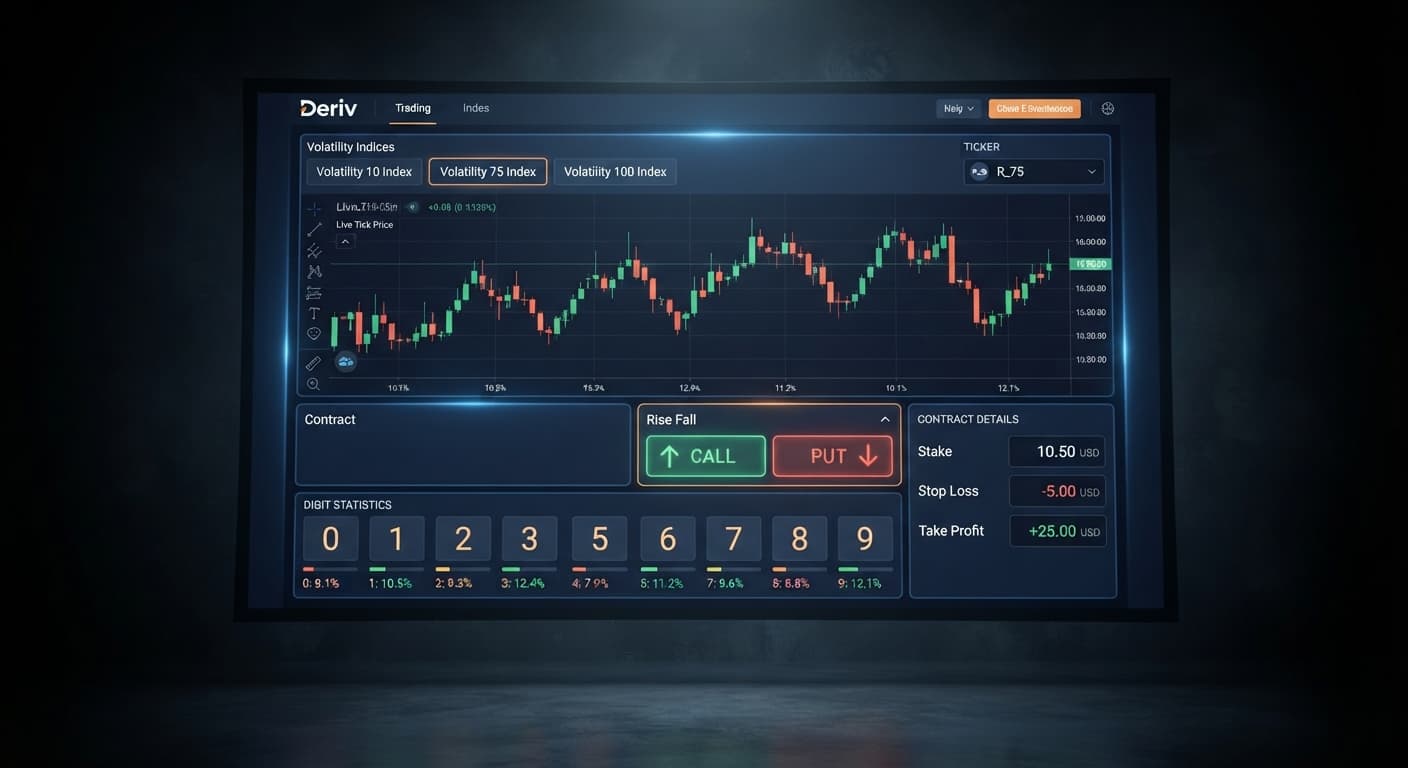
Finding the best rise fall settings for binary bots comes down to controlling trade duration and keeping money management conservative. The baseline setup for Rise/Fall contracts on Deriv synthetic indices uses a 5-tick contract duration, Fixed Stake sizing, a Stop Loss set at 15% of session equity, and a Target Profit capped at 5%. This guide breaks down exact execution mechanics, break-even probability math, step-by-step configuration, and the strict loss limits you should set before trading live.
Automated tools don't guess market sentiment or guarantee returns. When you run deriv bots on BinaryBot.live, the app translates your settings into structured payload requests sent directly to Deriv over their official API. Every trade is executed on your own Deriv account balance, whether you're using a virtual account or real capital.
Rise/Fall trading relies on two basic contract choices:
If the exit price equals the entry price at contract expiry, the trade loses. That single rule introduces a subtle drag on your win rate that many automated setups ignore.
The bot simply watches incoming tick stream data and triggers order requests when your conditions match. It doesn't hold funds, process withdrawals, or alter contract payouts established by the broker. If your network connection drops, active contracts remain live on Deriv servers until they expire, but new triggers won't fire until your browser reconnects.
Setting up the best rise fall settings for binary bots requires understanding the mathematical edge required to overcome broker payouts. Unlike binary digit contracts with explicit 10% or 90% theoretical odds, short-duration Rise/Fall contracts operate on underlying tick price movement. Over a short window like 5 ticks, synthetic index price movement follows pseudo-random behavior generated by Deriv's asset engine. You cannot calculate deterministic win probabilities for future ticks, but you can calculate the exact break-even hit rate needed to keep your balance intact.
Deriv typically offers payouts around 92% to 95% on 5-tick Rise/Fall contracts for standard synthetic markets like Volatility 100 (1S) or Volatility 10 Index. Here's how the arithmetic works for a standard setup:
To find your break-even hit rate, divide the initial stake by the total payout amount:
$$\text{Break-Even Win Rate} = \frac{\text{Stake}}{\text{Total Return}} = \frac{10.00}{19.50} \approx 51.28%$$
If market conditions shift and the payout drops to 92%, the calculation changes:
$$\text{Break-Even Win Rate} = \frac{10.00}{19.20} \approx 52.08%$$
That means if your strategy wins exactly 50% of its trades over 100 contracts at a 95% payout, you won't break even. You'll lose $25.00 for every 100 trades placed at a $10.00 stake. You need a sustained win rate above 51.28% just to cover the payout gap.
| Market Index | Contract Duration | Typical Payout | Break-Even Hit Rate | Recommended Stake Control |
|---|---|---|---|---|
| Volatility 10 Index | 5 Ticks | 95.1% | 51.25% | Fixed Stake |
| Volatility 25 Index | 5 Ticks | 94.8% | 51.33% | Fixed Stake |
| Volatility 75 Index | 5 Ticks | 93.5% | 51.68% | Fixed Stake |
| Volatility 100 (1S) Index | 5 Ticks | 95.3% | 51.20% | Fixed Stake |
Because short-term tick movement is highly volatile, relying on aggressive stake-multiplying routines to force profitability usually ends in account drawdown. Sticking to a Fixed Stake isolates your execution performance so you can evaluate whether your trigger timing actually beats the break-even baseline.
Before running binary bots on real balances, test your parameters in a controlled environment. Here's how to configure and launch a Rise/Fall session using the browser tools at BinaryBot.live.
Open your browser and navigate to the interface controls. Obtain your API token from your Deriv account security tab, paste it into the token field, and click connect. The interface will authenticate directly with Deriv servers and display your account balance in the top bar.
Choose your market asset from the market selector menu. For initial testing, pick Volatility 10 Index or Volatility 100 (1S) Index due to their consistent tick interval frequencies. Set the contract type to CALL/PUT or select a directional preference (Rise or Fall) based on your chosen entry logic.
Select Fixed Stake under money management options. Set your base stake to a small fraction of your total equity—ideally 1% to 2% of your session balance. Input your risk parameters into the dedicated fields:
Set your trade duration to 5 Ticks. Lower durations like 1 or 2 ticks are prone to severe slippage and rapid tick ties, while longer durations increase exposure to short-term market reversals. If you're using technical filters inside the automation menu, set your evaluation lookback to a short window (such as a 3-period tick trend comparison) to avoid lagging signals.
Before toggling real money trades, verify that your active balance display shows your Deriv demo account currency (VRTC). Click the start button. Observe the first 10 executed contracts in the trade log to verify that stakes, tick durations, and contract types match your configured parameters.
If you want to explore pre-configured automated scripts for Rise/Fall execution, browse the complete suite of tools in the free Deriv bot library.
Finding the best rise fall settings for binary bots is only half the job; knowing when to shut down the bot protects your account from extended drawdowns. Synthetic indices don't feature economic news events, but statistical clustering means losing streaks happen naturally over short sample sizes.
You should stop automated execution and return to a demo account under any of these three conditions:
Automation is an execution aid, not an infinite money engine. Treat every configuration as an experiment that must prove its statistical validity on virtual funds before real dollars are placed on the line.
Try configuring your parameters on the Solid Trading Bot using a demo balance first.
If you don't have an active trading account yet, create a free Deriv account to begin testing.
Trading involves risk. Past performance does not guarantee future results.
Related: How to Trade Even Odd on Deriv with BinaryBot.live
Related: Why Your Rise Fall Strategy Is Not Working on Deriv Bots
Related: Digit Match vs Even Odd: Beginner's Guide (2026)
Related: How to Stop a Deriv Bot Losing Money With Risk Controls
How the strategies behind the bots actually work — Digit Differs, Over/Under, Even/Odd, Rise/Fall, and the money management that decides whether they survive a losing streak.
Try 9 Strategies on Solid →The baseline setup uses a 5-tick contract duration, Fixed Stake sizing, a Stop Loss set at 15% of session equity, and a Target Profit capped at 5%. These settings help control trade duration and keep money management conservative on synthetic indices.
The trade loses if the exit price equals the entry price at contract expiry. This single rule introduces a subtle drag on your win rate that automated setups need to account for.
You need a sustained win rate of approximately 51.28% just to cover the payout gap. If your payout drops to 92%, your required break-even hit rate increases to about 52.08%.
Your active contracts remain live on Deriv servers until they expire because the broker handles them. However, new triggers won't fire until your browser reconnects to the platform.
Guides closest to this one.
Set a hard stop loss below 20% of your balance and cap multiplier progressions to learn how to stop a deriv bot losing money using 5 setup steps.
Learn how to trade even odd on deriv using the BinaryBot.live digit bot. Configure an alternating pattern strategy step by step. Start trading today!
A strict Fixed Stake model with a 20% stop loss is the safest money management for binary bots on Deriv synthetic indices, preventing account liquidation.