Auto Trading Bots
solid trading bot on volatility 10: Binary Bot Setup
Configure the solid trading bot on volatility 10 for automated digit trading on BinaryBot.live. Learn the step-by-step deriv bot trading strategy now.
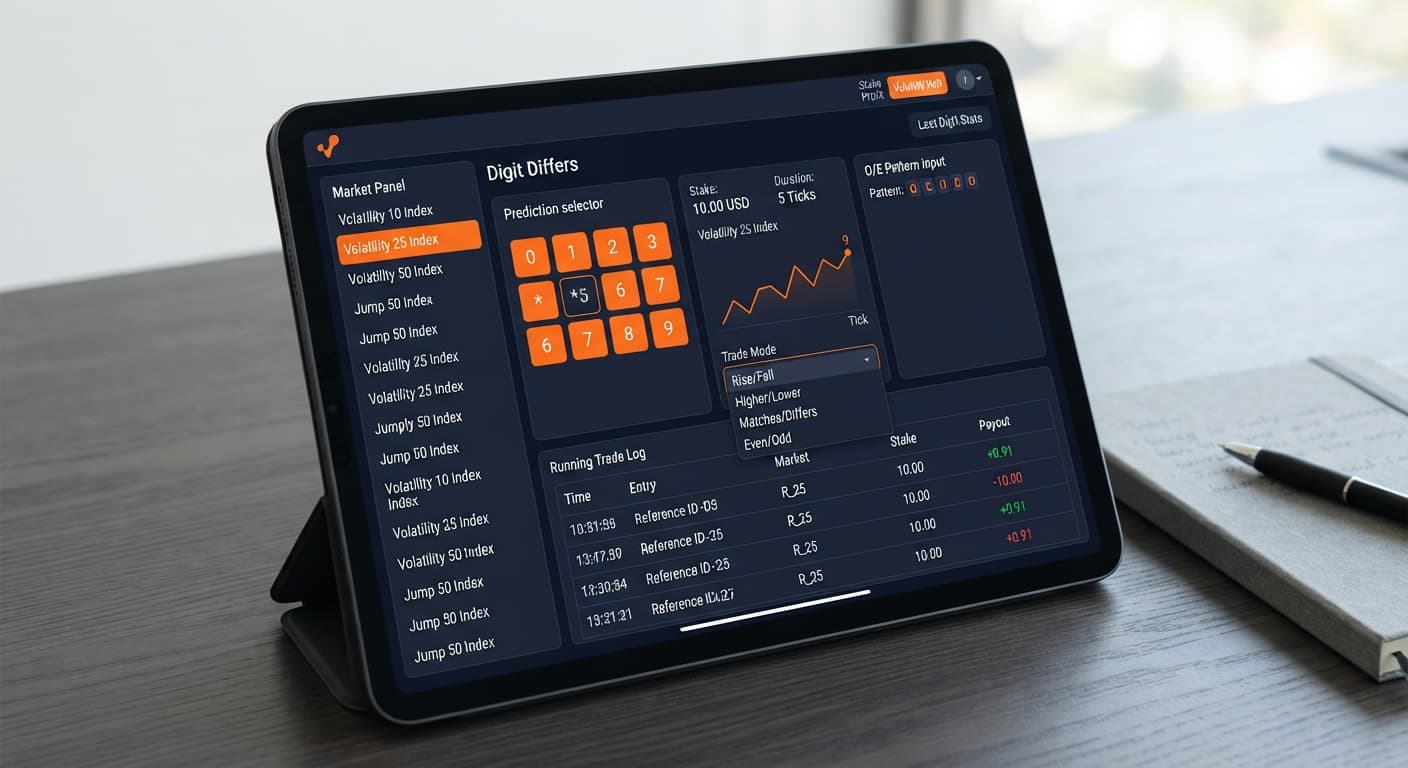
Configuring a solid trading bot on volatility 25 using Digit Differs mode requires selecting Volatility 25 Index under Market Index, setting Trade Mode to Digit Differs, and picking a Tick Duration between 1 and 10 ticks. You'll also configure the Pattern (O=Odd, E=Even) input to wait for a specific tick sequence before entry, alongside your Start Stake ($), Target Profit ($), and Stop Loss ($). This setup automates DIGITDIFF contract placement on Deriv using a clean browser interface without third-party server routing.
Traders often fire digit contracts on every single tick without filtering entry conditions. That's a quick way to drain a balance on Volatility 25 Index. Running Digit Differs continuously exposes your balance to tick clusters where the last digit repeats back-to-back. When you don't restrict entries, the bot places trades during chaotic tick sequences, increasing the chance of hitting your matching loss digit.
Using an automated trading bot isn't about placing as many trades as possible; it's about placing trades only when defined conditions align. Setting a pattern delay forces the bot to observe tick sequences before sending an execution request to the WebSocket connection. That single filter separates controlled execution from blind gambling when building strategies for deriv bots.
If you trade manually or run unfiltered scripts, psychological fatigue sets in quickly. You miss entries, miscalculate tick counts, or forget to enforce your exit boundaries. Automating this execution through a free deriv bot eliminates human delay while enforcing rigid profit targets.
Setting up your configuration requires mapping each on-screen setting to your risk balance. The table below outlines the full parameter set used for this specific Volatility 25 strategy.
| Control Name | Recommended Value | Direct Function |
|---|---|---|
| Market Index | Volatility 25 Index | Selects the synthetic asset market |
| Trade Mode | Digit Differs | Configures trade type to DIGITDIFF |
| Pattern (O=Odd, E=Even) | OEO | Delays entry until an Odd-Even-Odd digit sequence occurs |
| Start Stake ($) | 10.00 | Sets the dollar amount committed per contract |
| Tick Duration | 1 | Sets contract expiry from 1 to 10 ticks |
| Target Profit ($) | 5.00 | Stops the bot automatically when profit target is hit |
| Stop Loss ($) | 30.00 | Stops the bot automatically when loss threshold is hit |
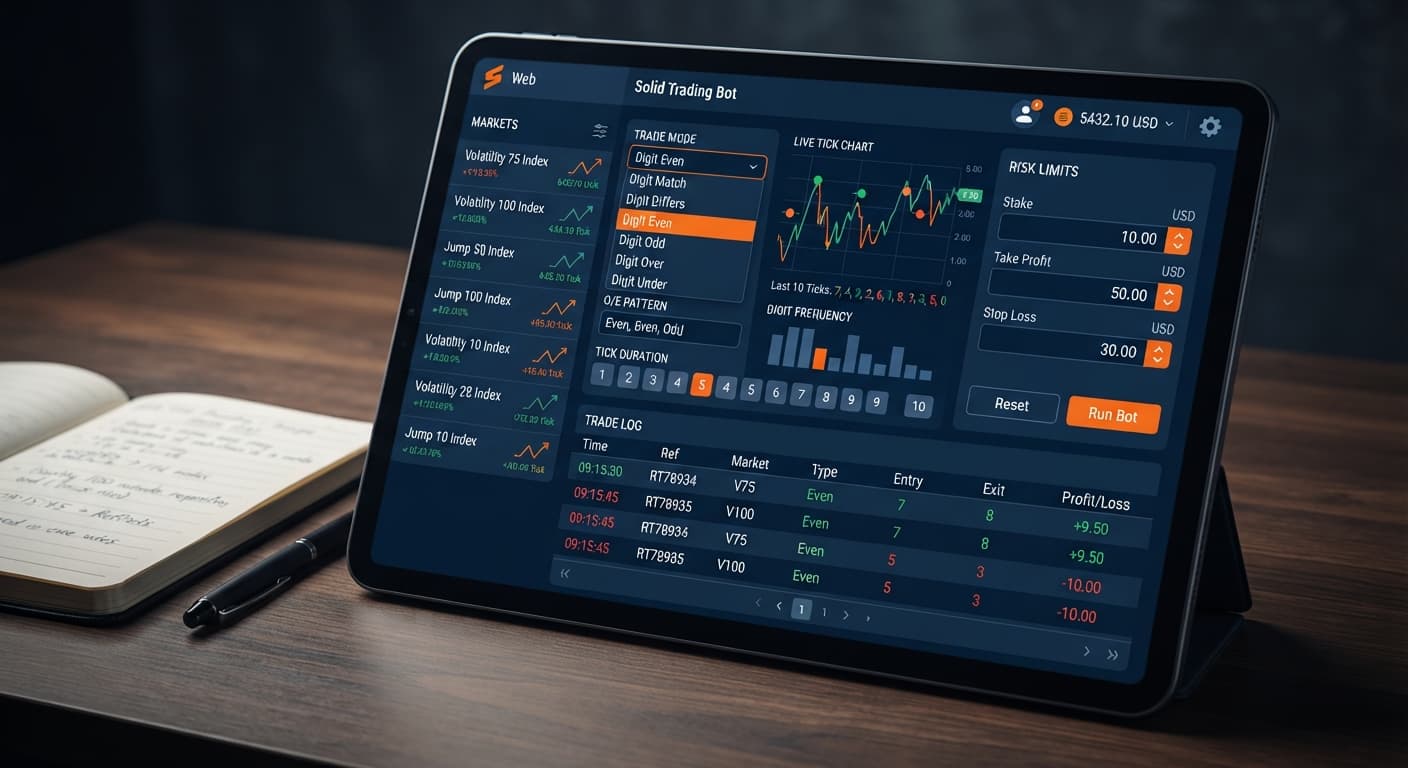
In prose, here's how these controls interact on Solid Trading Bot. You select Volatility 25 Index under Market Index to target a market with moderate tick price movement. Set Trade Mode to Digit Differs so every trade pays out if the tick ending digit differs from the reference point. In the Pattern (O=Odd, E=Even) field, entering a sequence like OEO means the bot will monitor incoming ticks and wait for an Odd digit, an Even digit, and another Odd digit in consecutive ticks before firing a trade.
Set your Tick Duration between 1 and 10 ticks. A single tick duration minimizes time exposure on synthetic indices. Set your Start Stake ($) to fit your account size, remembering that DIGITDIFF contracts return roughly 9.9% profit on a winning tick. Finally, lock in your safety bounds by entering exact dollar values into Target Profit ($) and Stop Loss ($).
Open Solid Trading Bot in your web browser. Click the Market Index dropdown menu and select Volatility 25 Index. This anchors your connection to Deriv synthetic tick data for this market.
Click the Trade Mode dropdown and select Digit Differs. This action configures the bot to purchase DIGITDIFF contracts exclusively.
Locate the Pattern (O=Odd, E=Even) input field. Type OEO into the field. This tells the bot to analyze the last digit of every incoming tick on Volatility 25 Index and hold back trades until it sees an Odd, an Even, and an Odd digit sequence in exact order.
Enter your base stake into the Start Stake ($) field—for example, 10.00. Next, set the Tick Duration control to 1. The bot accepts values from 1 to 10 ticks, but keeping duration to 1 tick ensures fast settlement on each trade execution.
Type your dollar target into Target Profit ($)—for instance, 5.00. Then type your maximum acceptable session loss into Stop Loss ($)—such as 30.00. Once configured, click Start Bot to initiate automated execution.
Understanding time and latency on Volatility 25 Index is vital when running binary bots. Unlike 1-second synthetic indices, the standard Volatility 25 Index generates 1 tick every 2 seconds. That means tick timing follows a fixed clock cycle that dictates trade execution, pattern evaluation, and contract evaluation.
When your pattern is set to OEO, the bot requires 3 full tick ticks to validate the pattern before placing a trade. At 2.0 seconds per tick, the evaluation phase takes exactly 6.0 seconds. The moment the 3rd tick lands, the browser sends a execution request straight to Deriv over the official API.
| Execution Phase | Tick Count | Time Clock (Seconds) | Action Performed By Bot |
|---|---|---|---|
| Pattern Tick 1 (O) | 1 | 0.0 s | Evaluates last digit (Odd detected) |
| Pattern Tick 2 (E) | 2 | 2.0 s | Evaluates last digit (Even detected) |
| Pattern Tick 3 (O) | 3 | 4.0 s | Evaluates last digit (Odd detected - Pattern Matched) |
| Contract Purchase | - | 4.05 s | Bot transmits DIGITDIFF contract request |
| Contract Settlement | 1 tick duration | 6.05 s | Final tick lands; Deriv settles trade outcome |
Because the tick interval on Volatility 25 Index is 2 seconds, price travels steadily between ticks. Over a 1-tick contract duration (2 seconds), price moves far enough to trigger a new last digit while keeping your total trade duration to approximately 2.05 seconds from trigger to payout confirmation. Running a 10-tick duration on this market would hold your position open for 20 full seconds, exposing your contract to 10 separate digit calculations unnecessary for a digit differs strategy.
This specific setup is bad for accounts with small capital reserves relative to their stake size. A DIGITDIFF contract on Deriv carries a payout of approximately 9.9%. That means a $10.00 stake returns roughly $0.99 in profit per winning trade. However, if a loss occurs (when the last digit matches your contract barrier), you lose the full $10.00 stake.
A single loss wipes out roughly 10 previous winning trades. If you set your Stop Loss ($) too close to your base stake, a single early loss will trigger your stop limit immediately and end the session in negative territory.
Here are conditions where you shouldn't run this setup:
Always test your setup on a Deriv demo account first to confirm how execution speeds and stop parameters work on live tick feeds before risking real money.
Try it yourself on Solid Trading Bot using a demo balance first. If you don't have one yet, create a free Deriv account.
Trading involves risk. Past performance does not guarantee future results.
Related: solid trading bot on volatility 10: Binary Bot Setup
Related: Solid Trading Bot vs Manual Trading on Deriv
Related: Solid Trading Bot Deriv Bots Guide: Configure Settings
Advanced automated digit trading bot for Deriv with 9 trading strategies including Digit Differs, Odd/Even, Over/Under, Rise/Fall and Higher/Lower.
Open Solid Trading Bot →You'll need to select the Volatility 25 Index under Market Index and set your Trade Mode to Digit Differs on the Solid Trading Bot interface. Make sure to configure your tick duration between 1 and 10 ticks, and enter your pattern, stake, target profit, and stop loss parameters before running it.
The pattern setting delays your bot's entry by forcing it to observe incoming tick sequences before sending an execution request. For example, setting it to OEO means the bot waits for an Odd, Even, and Odd digit sequence in consecutive ticks before placing a trade, which helps you avoid chaotic tick clusters.
Recommended settings on Solid Trading Bot include choosing the Volatility 25 Index, setting the Trade Mode to Digit Differs, and using a pattern like OEO for entry filtering. You should also configure a 1-tick duration, set your start stake based on your risk tolerance, and lock in specific dollar amounts for your target profit and stop loss.
DIGITDIFF contracts return roughly 9.9% profit on a winning tick when you trade on platforms like Solid Trading Bot. You can manage your risk by setting strict start stakes, target profits, and stop loss boundaries to protect your balance.
Guides closest to this one.
Configure the solid trading bot on volatility 10 for automated digit trading on BinaryBot.live. Learn the step-by-step deriv bot trading strategy now.
Compare solid trading bot vs manual trading for Deriv digit strategies. Discover how an automated trading bot executes binary options faster on BinaryBot.live.
Read the solid trading bot deriv bots guide to configure trade modes, patterns, and risk limits for automated Deriv trading. Start testing today.