Auto Trading Bots
Build a Solid Trading Bot on Volatility 25 for Deriv
Build a solid trading bot on volatility 25 using Deriv digit differs. Follow this step-by-step setup guide for free binary bots. Start testing today.
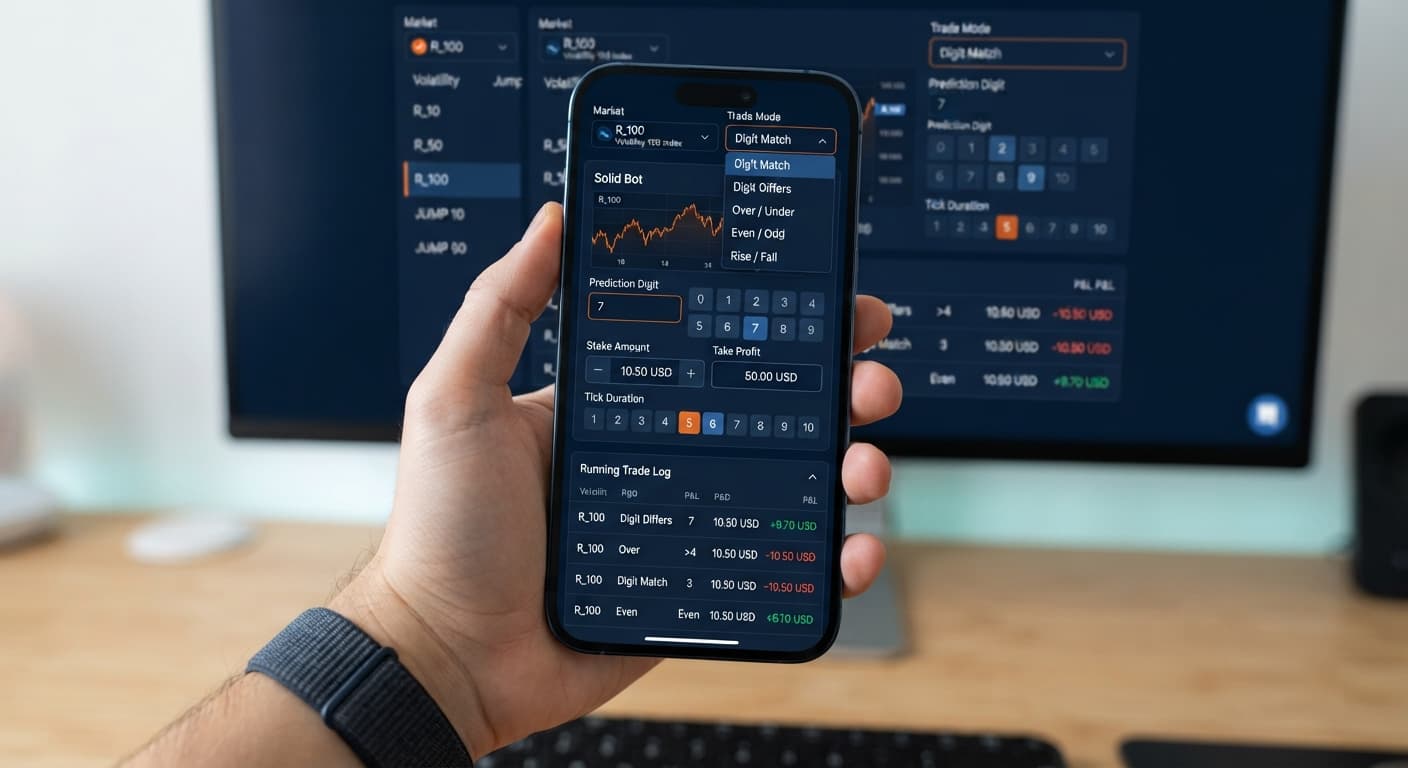
Setting up the solid trading bot on volatility 10 requires matching your target entry conditions with precise parameter caps inside the interface. To automate trades on this asset, select Volatility 10 Index from the Market Index dropdown, pick your contract strategy under Trade Mode, set your Pattern (O=Odd, E=Even) filter, and cap risk with clear Stop Loss ($) and Target Profit ($) entries. When configured correctly, binary bots connect to your account API and place automated contracts like DIGITEVEN, DIGITODD, or DIGITDIFF without manual execution delays.
When you load Solid Trading Bot, every parameter sits inside a single execution panel. You won't need to edit code or toggle hidden menus. The layout displays seven primary controls that directly dictate how trades execute on your account.
| On-Screen Control | Selectable Options / Values | Operational Impact |
|---|---|---|
| Market Index | Volatility 10 Index (plus V25–V100, 1s variants, Jump 10–100) | Selects the underlying synthetic index stream. |
| Trade Mode | Digit Differs, Digit EVEN, Digit ODD, Digit Over, Digit Under, Only Rise, Only Fall | Determines the contract type placed on Deriv (DIGITDIFF, DIGITEVEN, DIGITODD, DIGITOVER, DIGITUNDER, CALL, PUT). |
| Pattern (O=Odd, E=Even) | String sequence (e.g., OOE, EEE, OOOO) | Forces the bot to wait for a specific streak of odd/even ticks before buying. |
| Start Stake ($) | Numerical dollar amount (e.g., $1.00) | Sets the purchase price for every individual contract. |
| Tick Duration — 1 to 10 ticks | Integer value from 1 to 10 | Sets contract duration in ticks before expiry. |
| Target Profit ($) | Numerical dollar amount (e.g., $10.00) | Automatically halts execution once cumulative profit reaches this value. |
| Stop Loss ($) | Numerical dollar amount (e.g., $20.00) | Automatically halts execution once cumulative loss reaches this value. |
Knowing how these fields interact keeps you from misconfiguring an entry. For instance, leaving the pattern field empty means the bot places trades on every single tick, which quickly exhausts your bankroll if market conditions turn against you.
Click the Market Index field to open the drop-down list. Select Volatility 10 Index.
This sets the bot to monitor tick data generated strictly by Deriv's Volatility 10 Index stream. If you select a 1-second variant like Volatility 10 (1s) Index by mistake, your trade velocity doubles, which can disrupt your tick counts if you were expecting standard one-second updates. Stick to Volatility 10 Index for this setup.
Click Trade Mode to choose the contract strategy you want to automate. The dropdown offers seven distinct modes:
If your goal is digit statistical trading on Volatility 10, select Digit EVEN, Digit ODD, or Digit Differs. Selecting Digit EVEN tells the system to purchase an even-digit contract whenever your entry conditions trigger.
Click inside the Pattern (O=Odd, E=Even) box and type your required sequence using capital letters. Type O for Odd and E for Even.
For example, entering OOO tells the system to evaluate tick outcomes continuously without entering the market until three consecutive odd last digits appear. Once that sequence lands, the bot instantly submits a trade on the following tick. If you want to enter right after two consecutive evens, enter EE.
Leave this box blank only if you intend for the bot to place contracts continuously tick after tick. For targeted automated execution, setting a 3-character or 4-character string helps stagger your market exposure.
Set Start Stake ($) to your desired position size, such as $1.00.
Solid Trading Bot does not feature built-in martingale recovery options or multiplier inputs. Every contract is purchased at the exact value specified in the Start Stake ($) box.
Next, set Tick Duration — 1 to 10 ticks. Choose an integer between 1 and 10. For digit contracts like Digit EVEN or Digit ODD, setting 1 tick provides the fastest resolution, closing the contract immediately on the very next tick. If you select 5 ticks, the contract stays open until five ticks elapse, and only the final tick's last digit determines the payout.
Type your session risk boundaries into the Target Profit ($) and Stop Loss ($) fields.
If your account balance is $100.00, a sensible operational cap is setting Target Profit ($) to $5.00 and Stop Loss ($) to $15.00. Once total session gains hit $5.00, the software terminates automated buying. Conversely, if accumulated losses reach $15.00, execution stops instantly, protecting your balance from further drawdown.
Always test your exact numerical setup on a Deriv demo account before toggling live funds. Real-money automation requires verifying that your target limits function exactly as expected.
Before activating automated order placement, many traders run a digit analyzer or review historical tick distributions to monitor asset behavior. Below is an actual 500-tick distribution captured on Volatility 10 Index.
| Last Digit | Total Occurrences | Distribution (%) | Short-Term Status |
|---|---|---|---|
| 0 | 48 | 9.6% | Normal |
| 1 | 52 | 10.4% | Normal |
| 2 | 36 | 7.2% | Cold |
| 3 | 51 | 10.2% | Normal |
| 4 | 49 | 9.8% | Normal |
| 5 | 53 | 10.6% | Normal |
| 6 | 47 | 9.4% | Normal |
| 7 | 69 | 13.8% | Hot |
| 8 | 46 | 9.2% | Normal |
| 9 | 49 | 9.8% | Normal |
Over this sample, digit 7 printed 69 times (13.8%), making it the hottest digit on the board. Digit 2 printed only 36 times (7.2%), marking it cold. Summing all odd outcomes (digits 1, 3, 5, 7, 9) yields 274 occurrences, or 54.8% of the sample. Even outcomes accounted for 226 occurrences, or 45.2%.
Seeing an odd-digit lean over 500 ticks leads some traders using deriv bots to pick Digit ODD under Trade Mode with a pattern like EEE. The logic assumes that after three even digits, the market might revert to its sample bias toward odd numbers.
Here is the truth: Deriv synthetic index ticks are completely independent random draws generated by a cryptographic random number generator. Past tick statistics tell you what happened in the past; they do not alter the statistical probability of the next tick. The odds of the next digit being even remain approximately 50%, regardless of whether the last five ticks were all odd. Frequency tracking helps you spot recent variance, but it does not predict future draws.
Once you click start, verify that execution is working correctly by checking the live transaction log directly beneath the control panel.
When running properly, you'll see a line entry every time your condition is met. The log prints the timestamp, contract type purchased (such as DIGITEVEN or DIGITDIFF), purchase stake, entry spot, exit spot, and the resulting profit or loss. If you set Pattern (O=Odd, E=Even) to OOO, you should see the bot log tick outcomes silently until three odd digits print back-to-back, immediately followed by a trade contract receipt.
If the bot sits idle and doesn't place trades, check these three common failure points:
OOOOO (five consecutive odds), market movement might not generate that exact sequence for dozens or hundreds of ticks. The bot isn't broken; it's simply waiting for your strict rule to trigger.You can explore full feature details and run tests directly on Solid Trading Bot using virtual funds.
If you haven't opened a trading account yet, create a free Deriv account to generate your API token and test free deriv bot strategies.
Trading involves risk. Past performance does not guarantee future results.
Related: Solid Trading Bot Deriv Bots Guide: Configure Settings
Related: Solid Trading Bot API Token Setup for Deriv Bots
Related: Build a Solid Trading Bot on Volatility 25 for Deriv
Advanced automated digit trading bot for Deriv with 9 trading strategies including Digit Differs, Odd/Even, Over/Under, Rise/Fall and Higher/Lower.
Open Solid Trading Bot →You can configure the bot directly through its single execution panel without editing any code. Just select the Volatility 10 Index from the Market Index dropdown, choose your trade mode and pattern filter, and set your risk limits like stop loss and target profit.
Leaving the pattern field empty means the bot will place a trade on every single tick. This can quickly exhaust your bankroll if market conditions turn against you.
The trade mode dropdown offers seven contract types including Digit Differs, Digit EVEN, Digit ODD, Digit Over, Digit Under, Only Rise, and Only Fall. These automatically execute corresponding Deriv contracts like DIGITEVEN, DIGITODD, and CALL.
Selecting Volatility 10 Index sets the bot to monitor tick data from the standard stream. If you choose the 1s variant by mistake, your trade velocity doubles, which can disrupt your tick counts.
Guides closest to this one.
Build a solid trading bot on volatility 25 using Deriv digit differs. Follow this step-by-step setup guide for free binary bots. Start testing today.
Compare solid trading bot vs manual trading for Deriv digit strategies. Discover how an automated trading bot executes binary options faster on BinaryBot.live.
Read the solid trading bot deriv bots guide to configure trade modes, patterns, and risk limits for automated Deriv trading. Start testing today.