Auto Trading Bots
Tick Picker vs Digit Pad: Deriv Bots Compared
Compare tick picker vs digit pad strategies on BinaryBot.live. Learn how to use tick chart analysis and digit distribution in your free deriv bot setup.

Running tick picker on volatility 75 requires selecting the Volatility 75 Index from the market list, entering your base stake, establishing firm limits for stop loss and target profit, and choosing your money management mode. This strategy monitors micro-trends directly inside the raw price tick stream to execute CALL and PUT Rise/Fall contracts on Deriv. It operates entirely on price movement rather than digit analysis, letting you automate entries directly from your browser.
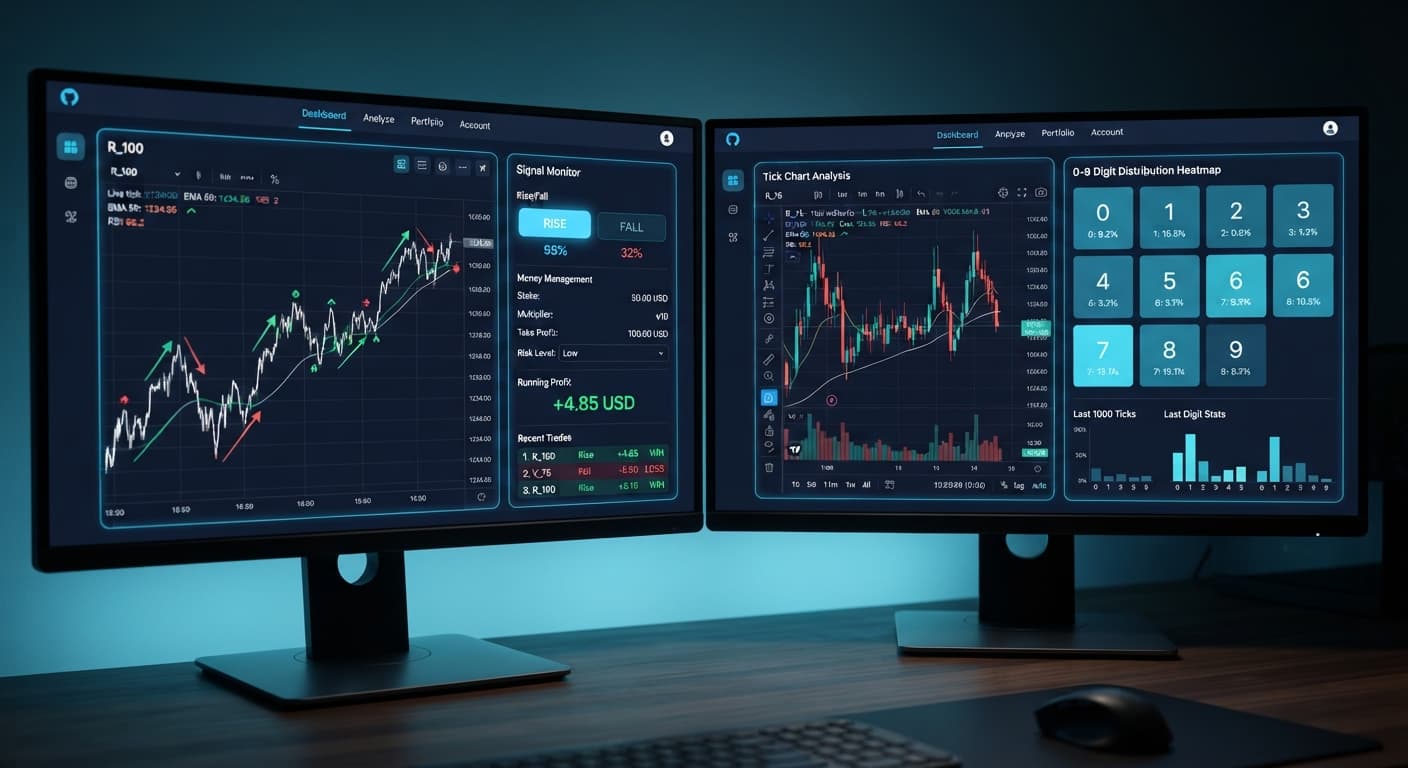
When traders run automated setups on Deriv, they often confuse tick-trend tools with digit-frequency analyzers. Web-based platforms like BinaryBot.live host multiple specialized tools—ranging from digit analyzers to full automated options strategies. However, this specific bot leaves out digit statistics entirely, concentrating strictly on short-term price direction.
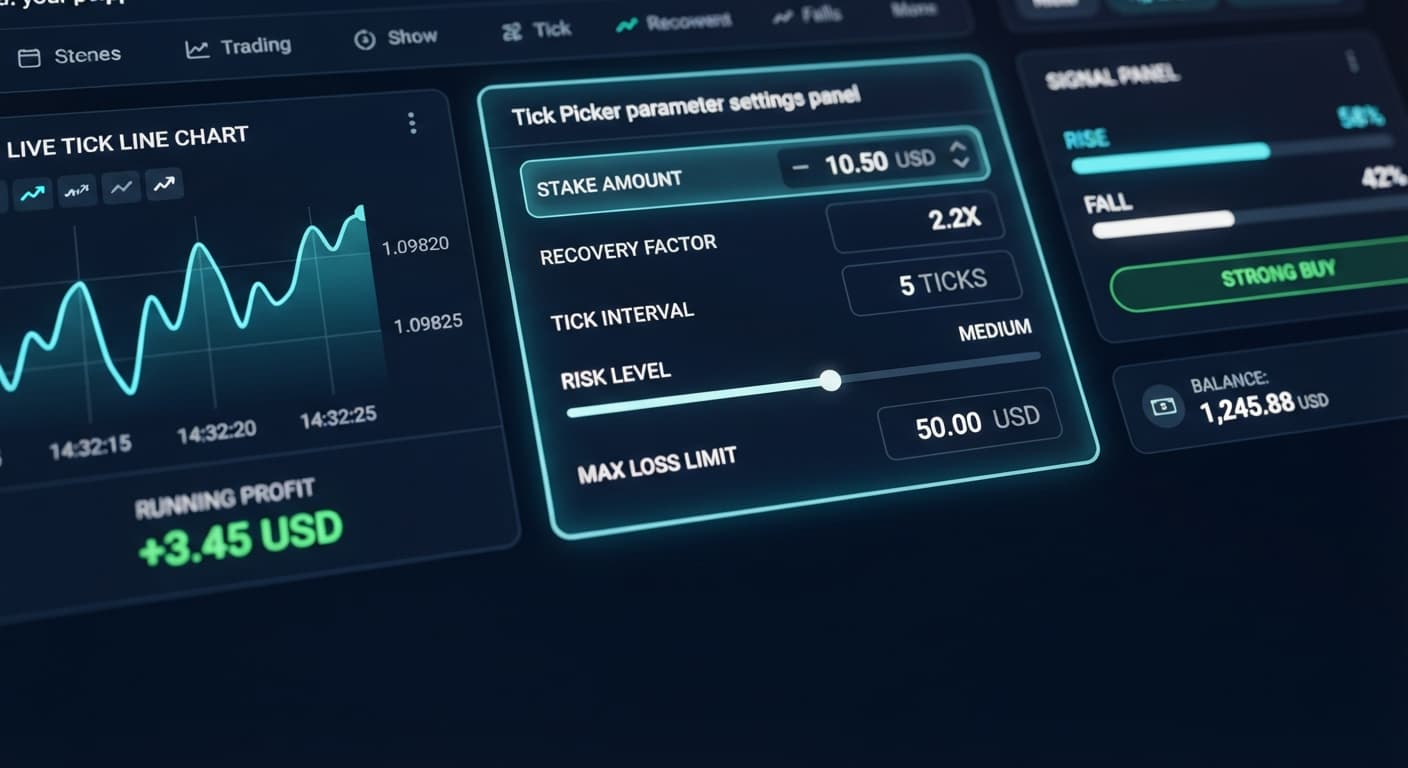
Before launching automated trades, you need to understand what is on your screen. The main interface splits into two key sections: execution controls on one side and live price stream visualizations on the other.
Unlike tools designed around digit statistics, this tool contains no 0–9 frequency grid, no digit pie charts, and no last-digit breakdown. If you are looking for digit pattern matching, check out the LDP Analyzer instead. Here, the entire visual layout focuses on real-time price trend detection for Rise/Fall trades.
The interface gives you four exact controls to configure before starting:
stake: The initial dollar amount assigned to your first contract.money management mode: The risk management strategy governing how your position sizes shift after a win or loss (Fixed Stake, Martingale, or Mesamilano).stop loss: The absolute dollar loss limit that halts the script automatically.target profit: The net profit goal in dollars that stops execution once reached.The central display plots incoming tick prices from the Deriv WebSocket feed in real time. Visual indicators flag directional bias, signaling whether the short-term momentum favors a CALL (Rise) or PUT (Fall) contract.
Open the market selection dropdown near the top of the interface and pick Volatility 75 Index. You can also select 1s volatility indices like Volatility 75 (1s) Index if you want faster tick generation.
Volatility 75 is known for sharp, fluid price movements. Because price moves continuously every second, tick-based trend detection works exceptionally well here compared to low-volatility assets. Selecting this asset directs the internal trend algorithms to evaluate momentum exclusively on Volatility 75 price ticks.
Paste your personal Deriv API token into the authentication field and click connect. The bot connects directly to Deriv over their official API, establishing a secure line to your trading account.
No capital or account credentials are stored on BinaryBot.live. Every order fires straight to your personal account balance.
Always connect using your Deriv demo account first. Test your technical setup using virtual funds before applying real capital to active market conditions.
stakeMove to the parameter configuration box and set your base risk numbers. You must enter exact numeric values into three input boxes:
stake and enter your starting trade size (for example, $2.00).stop loss and type the maximum drawdown you will accept for the session (for example, $20.00).target profit and set your payout goal (for example, $10.00).You must lock in these values before pressing start. Adjusting risk parameters on active trades is a common mistake that leads to unmanaged drawdown.
Fixed Stake or Mesamilano in money management modeOpen the money management mode dropdown menu. You will see three available selections: Fixed Stake, Martingale, and Mesamilano.
If you prefer flat risk where every trade risks the exact same amount regardless of previous results, select Fixed Stake.
If you want to recover losses without exposing your entire balance to quick destruction, select Mesamilano. Unlike Martingale—which doubles your trade size on every single loss—Mesamilano expands loss recovery over a structured multi-trade progression. This keeps position scaling gradual while still working back toward account profitability after a losing series.
With your market chosen, API token connected, risk limits set, and management mode selected, click the start button.
The platform begins scanning incoming Volatility 75 ticks immediately. As soon as the trend detection engine flags a valid directional move, the system submits a Rise/Fall contract straight to your account. You will see active contracts populate the trade log as either a CALL or a PUT. Monitor the continuous session net profit against your predefined stop loss and target profit boundaries.
To understand why selecting the right money management routine matters, you have to look at the math behind losing streaks. Deriv synthetic index ticks are independent random draws. A streak of five consecutive red ticks does not increase the probability of a green tick on the next draw.
Many traders using deriv bots select Martingale without calculating how fast position sizing scales. On Volatility 75, a short sequence of bad ticks can wipe out a small account balance in seconds.
Here is a concrete example of what happens to your capital during a 5-trade losing streak starting with a $2.00 base stake on a $100.00 account balance:
| Loss Step | Fixed Stake Size |
Total Spent (Fixed Stake) |
Martingale Next stake |
Total Spent (Martingale) |
Mesamilano Next stake |
Total Spent (Mesamilano) |
|---|---|---|---|---|---|---|
| Initial | $2.00 | $0.00 | $2.00 | $0.00 | $2.00 | $0.00 |
| Loss 1 | $2.00 | $2.00 | $4.00 | $2.00 | $2.50 | $2.00 |
| Loss 2 | $2.00 | $4.00 | $8.00 | $6.00 | $3.20 | $4.50 |
| Loss 3 | $2.00 | $6.00 | $16.00 | $14.00 | $4.00 | $7.70 |
| Loss 4 | $2.00 | $8.00 | $32.00 | $30.00 | $5.00 | $11.70 |
| Loss 5 | $2.00 | $10.00 | $64.00 | $62.00 | $6.50 | $16.70 |
Look closely at the numbers after Loss 5:
Under Martingale, five straight losses turn your original $2.00 trade into a $64.00 requirement for trade six. You have already lost $62.00 out of your $100.00 balance. Your remaining account balance sits at $38.00. You don't even have enough cash left to place the sixth trade. The streak forces a complete account stop-out.
Under Mesamilano, five consecutive losses cost you a cumulative $16.70. Your next required trade size increases modestly to $6.50, leaving over $83.00 of your starting bankroll intact. You preserve your account balance and stay in the game long enough for market momentum to stabilize.
If you are running binary bots on live market accounts, uncontrolled stake doubling is the fastest way to hit your emergency equity stop. Mesamilano offers a far more sensible balance between equity protection and loss recovery.
Once your session is running, checking operational health takes only a few seconds. A properly running system updates its tick chart continuous line every second and displays order execution confirmation inside the activity log immediately after a signal fires.
If the system stops firing trades, don't panic. Check these three common issues:
stop loss set to zero will prevent the initialization script from starting.If you ever want to test different algorithmic approaches beyond tick trends, you can explore other free automated tools like Sniper Bot V3 or review the full collection available in the free Deriv bot library.
Try it yourself on Tick Picker using a demo balance first.
If you don't have one yet, create a free Deriv account.
Trading involves risk. Past performance does not guarantee future results.
Related: Tick Picker vs Digit Pad: Deriv Bots Compared
Related: Why Tick Picker Best Time to Trade Is Failing (2026)
Related: Tick Picker Small Account Strategy: Setup & Mesamilano Guide
Professional tick analysis tool for Deriv with real-time charts, trend detection and Rise/Fall trading signals, plus Mesamilano and Martingale strategies.
Open Tick Picker →No, Tick Picker leaves out digit statistics entirely and focuses strictly on short-term price direction for Rise/Fall contracts. If you want digit pattern matching, you'll need to use the LDP Analyzer instead.
You can choose between three money management modes when setting up Tick Picker: Fixed Stake, Martingale, or Mesamilano. These modes govern how your position sizes shift after a win or loss.
You can select the Volatility 75 Index from the market list, or choose 1s volatility indices like Volatility 75 (1s) Index if you want faster tick generation. Volatility 75 works exceptionally well because its sharp, fluid price movements suit tick-based trend detection.
No, BinaryBot.live doesn't store any capital or account credentials when you connect your personal Deriv API token. Every order fires straight to your personal account balance via the official Deriv API.
Guides closest to this one.
Compare tick picker vs digit pad strategies on BinaryBot.live. Learn how to use tick chart analysis and digit distribution in your free deriv bot setup.
Standard session opens do not change synthetic index behavior, meaning the tick picker best time to trade depends on tick velocity, not the clock.
Protect a $50 or $100 balance with the tick picker small account strategy by using Mesamilano progression, fixed stakes, and strict stop-loss limits.