Deriv Basics
Beginner's Guide to Free Deriv Bots: No Coding Needed
Learn how to find and run free deriv bots on BinaryBot.live with zero coding or downloads required. Start your beginner journey today!
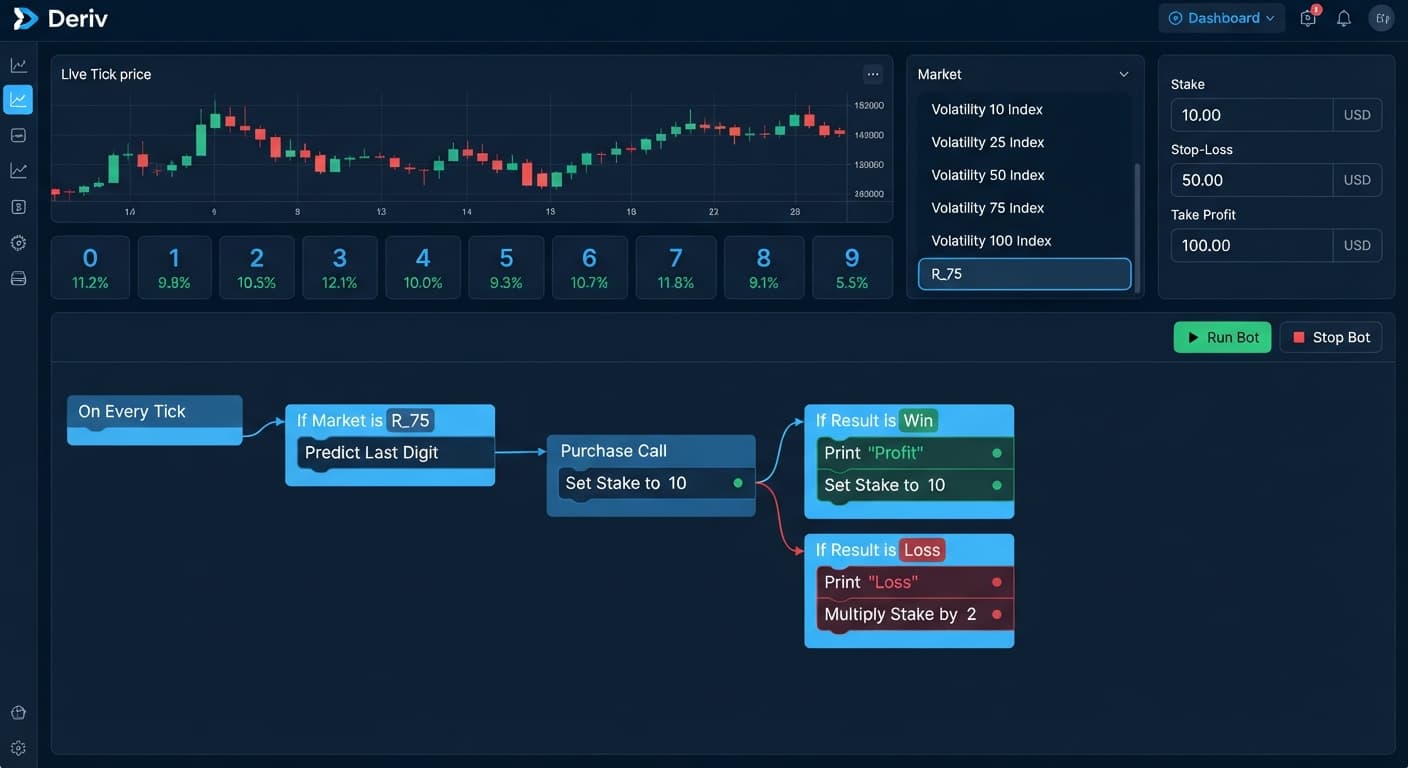
Using deriv bots for beginners means running automated scripts that place contracts on your Deriv account without writing code or manually clicking buy buttons. You link an API token from your Deriv account to a browser tool like BinaryBot.live, set your parameters, and let the software place trades based on strict mathematical rules. Most beginners lose money early on because they run scripts with aggressive risk multipliers before learning how fast consecutive losses destroy account balances.
Automated tools remove emotion from execution, but they also execute flawed ideas faster than any human can click. Synthetic index tick digits are completely independent random events. A streak of six consecutive odd numbers does not make an even number any more likely on the next tick. The synthetic index generator has no memory of past outcomes.
Before risking capital, run every bot on a Deriv demo account. Virtual funds let you test drawdown limits and connection settings without financial consequence.
Clear away the technical jargon before launching your first script. These five terms control every setting on your screen:
Imagine opening your browser with a $10,000 demo account balance. You enter your API token with read and trade scopes enabled, select a synthetic index market, and choose DIGITEVEN with a $1.00 base stake.
You click the start button. The browser connects directly to Deriv over their official API and waits for tick data. The next tick arrives ending in 4. Because 4 is even, your DIGITEVEN contract wins. Deriv credits your virtual balance with a $0.95 payout, updating your on-screen account balance to $10,000.95.
Two seconds later, the script places trade two. The tick lands on 7. That is an odd number, so the contract loses. The $1.00 stake leaves your account balance, bringing it down to $9,999.95.
Now observe what happens when a script applies a standard 2x martingale multiplier to recover losses. Here is how a short losing streak impacts a $50 balance:
| Trade | Stake | Outcome | Trade Result | Total Drawdown | Remaining Balance |
|---|---|---|---|---|---|
| 1 | $1.00 | Loss | -$1.00 | -$1.00 | $49.00 |
| 2 | $2.00 | Loss | -$2.00 | -$3.00 | $47.00 |
| 3 | $4.00 | Loss | -$4.00 | -$7.00 | $43.00 |
| 4 | $8.00 | Loss | -$8.00 | -$15.00 | $35.00 |
| 5 | $16.00 | Loss | -$16.00 | -$31.00 | $19.00 |
Examine trade five closely. After five consecutive losses, your running drawdown reaches $31.00. To place trade six under a 2x multiplier rule, the bot requires a $32.00 stake. You only have $19.00 left in your account. The script stops because your balance cannot cover the next contract. Five quick ticks wiped out your account balance. Understanding how deriv bots handle sequential losses matters far more than searching for secret winning indicators. Many public scripts shared on binary bots repositories fail simply because users pick stake multipliers their total bankroll cannot support.
Setting up deriv bots for beginners takes under five minutes when using virtual money. Follow these exact steps to complete your first test session:
Running controlled test sessions on virtual balances teaches you how software responds during fast tick shifts. When traders move from manual trading on binary bots platforms to full automation, disciplined testing keeps capital intact.
First-week errors follow predictable patterns. Identifying these technical mistakes early protects your virtual and real balances.
Traders often set a $1 base stake alongside a $100 stop loss on a $100 account balance. Under a standard 2x multiplier, six losses in a row push required stakes past $60. Your entire account vanishes before the stop loss ever triggers.
The Fix: Keep your Stop Loss figure capped at 10% to 15% of your total account balance. On a $100 account, set your stop loss strictly between $10 and $15.
A trader sees seven DIGITEVEN outcomes in a row on the analyzer chart and manually forces the bot to pick DIGITODD, assuming an odd number must land next. Synthetic volatility ticks use random statistical algorithms. Past outcomes never bias the next tick probability.
The Fix: Pick your contract rules based on payout math, not pattern bias. Allow the script to run its routine without manual interference during live ticks.
Default scripts often ship with recovery multipliers set between 2.0x and 2.1x. While a win recovers previous losses, a moderate losing streak grows your required stake exponentially beyond account limits.
The Fix: Lower your loss multiplier to 1.0x or 1.2x during testing. Smaller multipliers keep required stakes manageable through long loss series.
The main reason deriv bots for beginners lead to unexpected losses is skipping virtual testing. Mistakes in decimal points or accidentally selecting DIGITMATCH instead of DIGITDIFF can wipe out a live cash balance in seconds.
The Fix: Execute at least 100 successful automated trades on a Deriv demo account before inserting a real-money API token into any browser interface.
Start practicing your setup on the free Deriv bot dashboard on BinaryBot.live using a virtual account balance.
If you need a demo environment to practice on, open a free Deriv account to generate your test API token.
Trading involves risk. Past performance does not guarantee future results.
Related: Step-by-Step Guide on How to Use Solid Trading Bot on BinaryBot.live for Automated Deriv Trading
Related: Step-by-Step Guide on How to Use LDP Analyzer Pro for Deriv Bots
Related: Trading Volatility 75 on Digit Match and Differ Bots
Related: Configuring Digit Differ Strategy Using deriv bots india
Related: Configuring Binary Bots for Digit Differs on Volatility 10
Related: How Do Deriv Bots Work: Beginner Tech Guide
Related: Deriv Bots Minimum Deposit: A Beginner Guide to Free Trading
Related: Why Is My Deriv Bot Not Placing Trades? Beginner Fix
The groundwork every bot guide assumes you already have — creating a Deriv API token, choosing demo vs real, and connecting safely.
Start with a Free Bot →Deriv bots are automated scripts that place contracts on your Deriv account without requiring coding or manual clicking. You simply link an API token from your Deriv account to a browser tool like BinaryBot.live, set your parameters, and let the software trade based on mathematical rules.
An API token is a secure alphanumeric code generated in your Deriv settings that allows external browser tools to execute trades on your behalf. You need to enable read and trade scopes when entering your token into a tool like BinaryBot.live.
Yes, you should run every bot on a Deriv demo account before risking any real capital. Virtual funds let you safely test connection settings and drawdown limits without facing financial consequences.
Most beginners lose money early on because they run scripts with aggressive risk multipliers, such as a 2x martingale strategy. A short streak of consecutive losses can rapidly destroy an account balance before the bot can recover.
Guides closest to this one.
Learn how to find and run free deriv bots on BinaryBot.live with zero coding or downloads required. Start your beginner journey today!
Troubleshoot why is my deriv bot not placing trades on BinaryBot.live. Fix balance, token, and logic errors safely. Start debugging today.
Skip the unsafe free deriv bot download. Modern browser-based automation connects securely to Deriv using API tokens without installing any third-party software.