Digit Analysis
Step-by-Step: How to Use Digit Pad on BinaryBot.live for Deriv Bots
Learn how to use digit pad tools for Even/Odd and Digit Differs. Master digit analysis across multi-market trading. Try our binary analysis tool today.
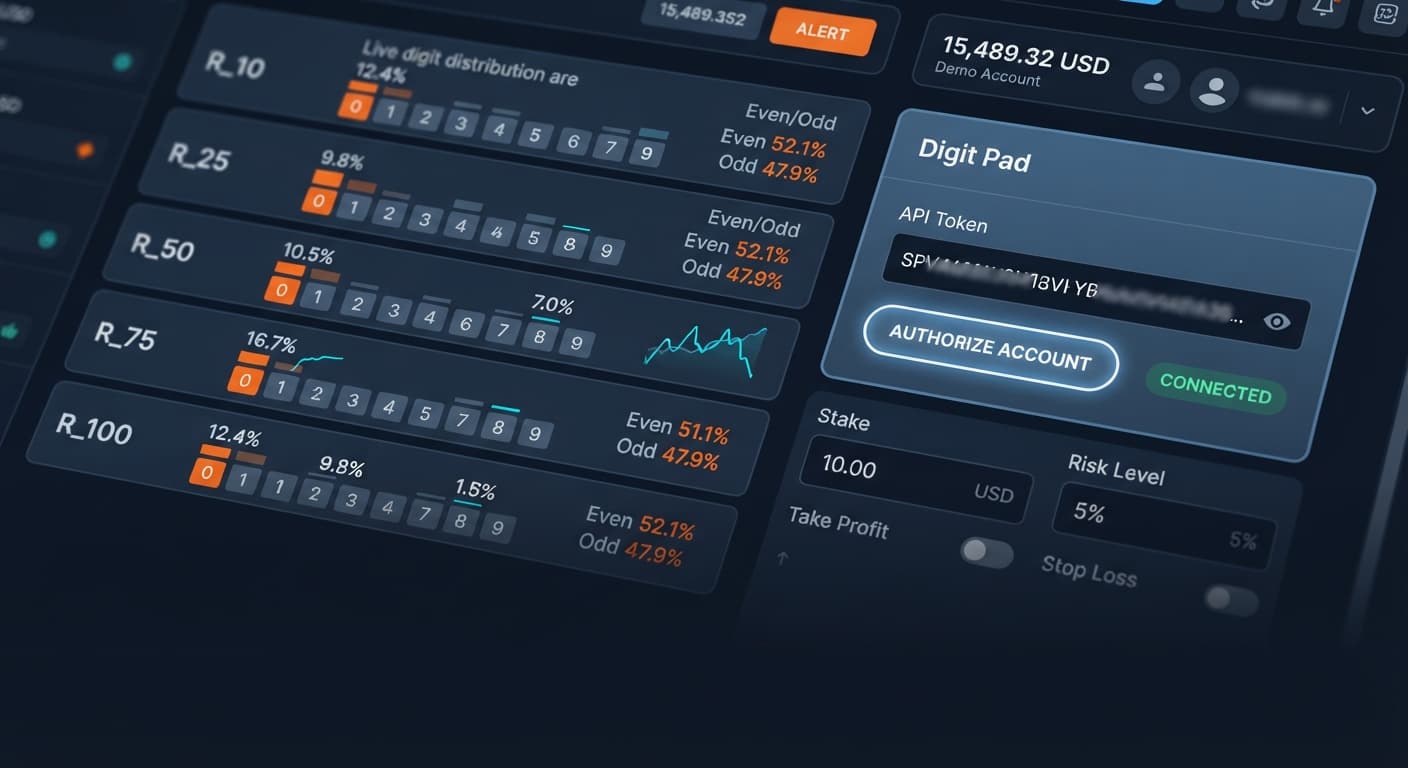
To complete a digit pad demo account setup, generate a demo API token inside your Deriv account settings, paste it into the connection field on the pad, and confirm your Virtual Account balance loads before executing any trades. This lets you practice multi-market digit trading across synthetic indices without risking real capital while testing live orders. It takes under two minutes, connects directly to Deriv over their official API, and gives you a risk-free environment to test your speed on the manual matrix.
Traders often open a new tool, paste a real account token immediately, and start clicking buttons while trying to figure out the layout. On a tool watching R_10, R_25, R_50, R_75, and R_100 simultaneously, that mistake gets expensive fast. When five index feeds stream numbers at once, firing off a manual trade on a live account before you know how the matrix updates causes panic trades, wrong target entries, and unwanted contract selections.
If you select DIGITDIFF with a digit target of 7 on R_75 while accidentally leaving your live account connected, a single fast tick can settle the contract before you realize you picked the wrong market. Synthetic indices run on independent random draws. Past digit frequency doesn't change the probability of the next tick. A digit that hasn't appeared in thirty ticks isn't "due" on the next one. Running a digit pad demo account setup first strips away the financial risk while you build muscle memory for market switching and signal validation. Many traders using deriv bots and manual trading pads lose money not because their strategy was wrong, but because they misclicked a field under time pressure. Among popular tools used alongside binary bots, manual trade pads demand clear head-space to execute correctly. Testing on virtual funds fixes execution errors before they hit your real account balance.
Setting up your demo environment requires matching three core inputs on the pad to your planned test parameters. You aren't configuring an automated martingale ladder here—Digit Pad is a manual execution tool with live stats, so precision on your manual inputs is what keeps your risk locked down.
Before placing any demo trades, decide on your contract type and baseline values. You can switch between Digit Differs, Even/Odd, or view the multi-market digit matrix. When placing DIGITDIFF contracts, your target digit selection is critical. Selecting digit 0 means you win if the last digit is 1 through 9, yielding a high win rate with a small payout. Selecting DIGITEVEN or DIGITODD removes the target digit input and splits the outcome evenly.
Set your stake to a small fraction of your virtual account balance. If your demo balance is $10,000, setting a $10 stake allows hundreds of test trades without draining the account. Use market selection to jump between R_10, R_25, R_50, R_75, and R_100 based on which index shows the statistical distribution you want to trade.
| Control Name | Recommended Demo Setting | Function |
|---|---|---|
| Account Token | Virtual Account (Demo) Token | Connects the pad to demo funds without touching real capital |
market selection |
R_10, R_25, R_50, R_75, or R_100 | Toggles active trading focus across volatility indices |
stake |
10.00 USD (or 1% of demo balance) | Defines the contract purchase amount per manual click |
digit target |
0 to 9 (used for DIGITDIFF) | Specifies the exact digit excluded from the winning condition |
Log into your Deriv account and switch your active dashboard to your Virtual Account. Navigate to Account Settings, open the API Token section, and choose a token name like "Digit Pad Demo". Select the "Read" and "Trade" scope checkboxes. Click create, then copy the generated token string to your clipboard. Do not select the "Admin" scope, as trading tools only require trade execution rights.
Open Digit Pad on BinaryBot.live in your web browser. Paste your copied token into the API token input field at the top of the interface and click connect. Watch the connection status badge. When it turns green, check the account header display. It must show an account ID starting with "VRTC" alongside your virtual account dollar balance. If you see "CR" instead, stop immediately—that is a real account identifier.
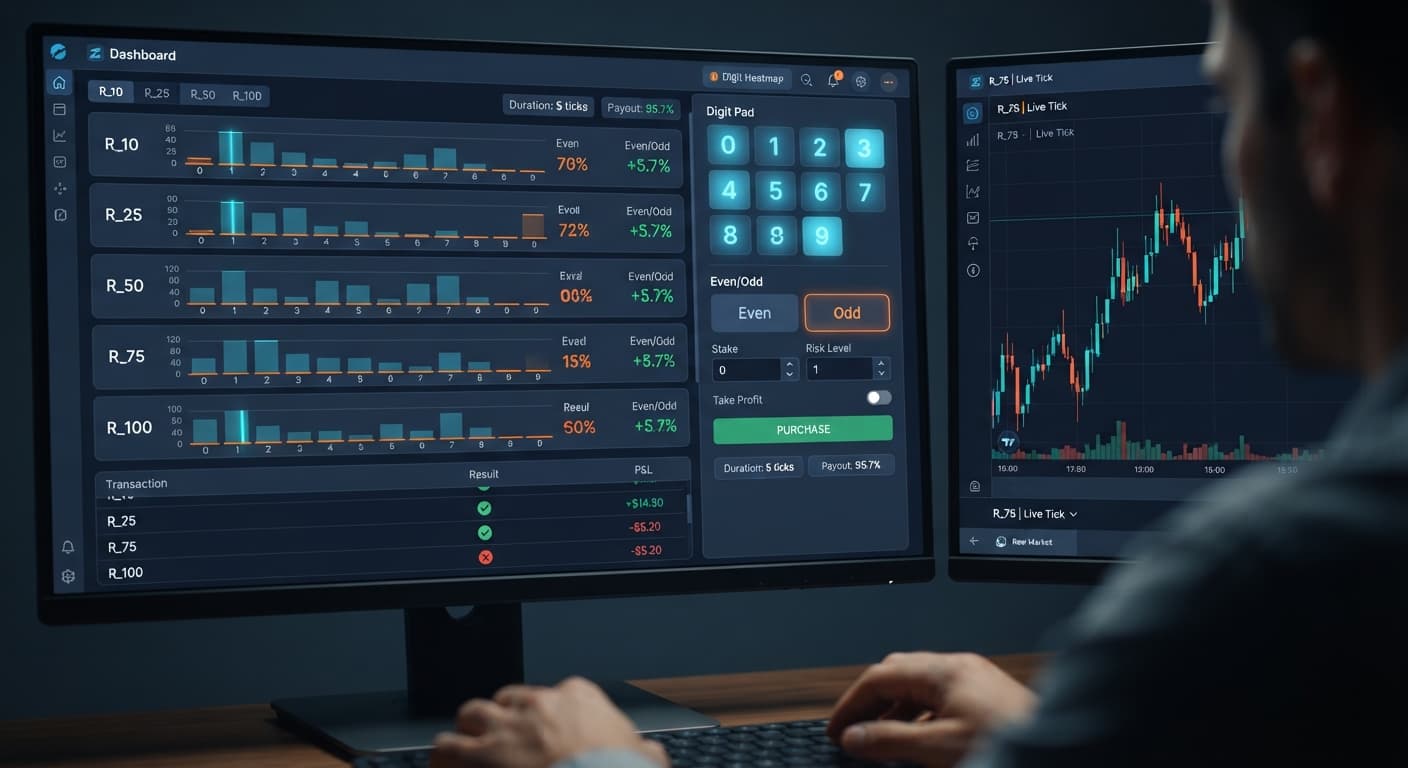
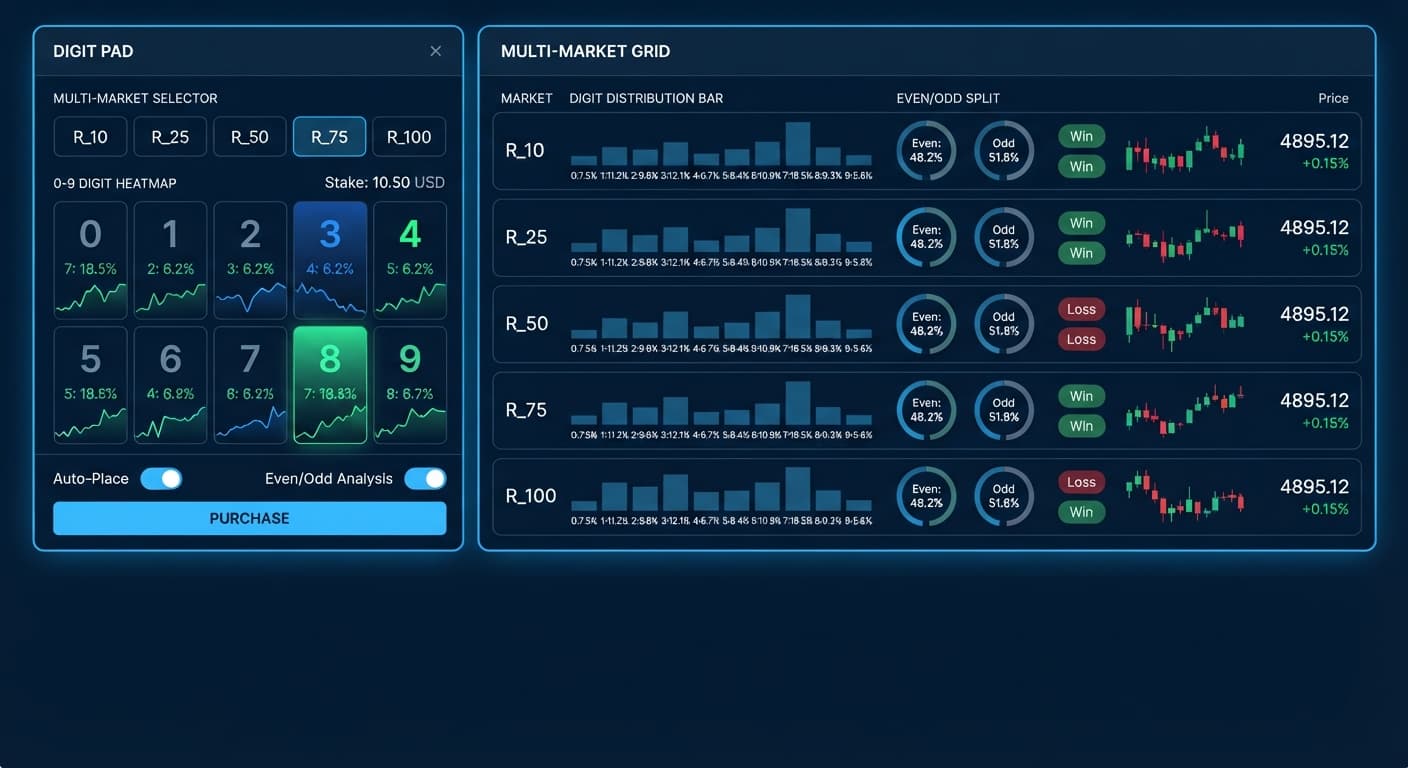
Once connected, observe the digit matrix as it receives live tick feeds across R_10, R_25, R_50, R_75, and R_100. The matrix updates digit distribution percentages in real time. Look across all five markets side by side to identify statistical outliers, such as a digit showing unusually low recent frequency across a 100-tick sample. Remember that synthetic index ticks remain independent draws, so high or low percentages reflect past distribution rather than future guarantees.
Move to the order entry box. Use the market selection control to pick the specific volatility index you want to trade based on your matrix analysis. Enter your test contract size in the stake field—start with $10 on demo. If you plan to execute DIGITDIFF contracts, enter your chosen digit into the digit target field. If you plan to trade DIGITEVEN or DIGITODD, verify that the active strategy tab reflects your choice.
Click the trade execution button for your chosen contract type (DIGITDIFF, DIGITEVEN, or DIGITODD). The order submits instantly to Deriv's platform. Watch the live trade log update at the bottom of the interface. The log displays the contract ID, purchase price, entry spot, exit spot, final digit, and profit or loss statement. Run at least 20 to 30 demo executions to get comfortable with tick speed across different volatility indices before considering live capital.
Understanding what your display looks like at each phase prevents execution errors and confirms your digit pad demo account setup operates correctly. A broken connection or incorrect token type shows specific visual cues that you should catch instantly.
When your API token connects successfully, the connection status light shifts from gray to solid green, displaying "Connected". The balance panel reads your demo funds immediately. If the token is invalid or expired, the indicator flashes red, showing "Connection Failed", and the digit matrix remains blank with stationary zero counts.
During active trading, clicking an execution button changes the button state momentarily to "Processing..." while sending the payload. Within one tick duration, the trade log inserts a new row at the top. A winning trade highlights the row green with a positive payout figure, while a losing trade highlights the row red.
| Interface Component | Normal Demo State | Error / Disconnected State | Action Required on Error |
|---|---|---|---|
| Status Indicator | Solid Green ("Connected") | Red or Flashing Gray | Re-copy token from Deriv demo settings and re-paste |
| Account Display | Header shows "VRTC..." with balance | Header shows "CR..." or "0.00" | Disconnect immediately; switch to a virtual token |
| Digit Matrix | Percentages change on every tick | All values freeze at 0.00% | Check internet connection or refresh API session |
| Trade Log | Shows new row with entry/exit tick | No row appears or red alert box | Verify trade scope permissions on your API token |
While Digit Pad gives manual traders clear visibility across five synthetic markets simultaneously, it isn't suitable for every trading style or situation. Knowing when not to use this tool saves both time and capital.
First, if you want automated hands-off execution while away from your screen, this tool will not fit your needs. Digit Pad is a manual execution interface with live statistical displays. It requires active monitoring and human decision-making for every contract placed. If you want an automated bot that places orders based on programmatic logic without manual clicks, look at fully automated deriv bots or custom XML scripts instead.
Second, this setup is wrong if you rely on martingale recovery ladders or stake-doubling routines after a loss. Digit Pad contains no automated stake progression settings, recovery multipliers, or auto-doubling features. Unlike fully automated binary bots that place trades programmatically based on script logic, Digit Pad leaves every stake decision entirely to you. If you try to manually double your stake after every loss to recover drawdowns, you risk blowing your account balance rapidly during normal statistical distribution runs.
Finally, if you believe that past digit frequencies force future outcomes, stop trading synthetic digits entirely. Deriv synthetic index ticks are completely independent random draws. A digit pad demo account setup helps you observe real-time distribution statistics, but it cannot alter the underlying mathematical probabilities of the market. Always test thoroughly on a demo balance, set a strict stop loss and take profit target for your session, and never trade money you cannot afford to lose.
Test your manual execution speed on Digit Pad using a demo balance before trading real funds. If you haven't set up a practice account yet, create a free Deriv account to generate your virtual API token. Trading involves risk. Past performance does not guarantee future results.
Related: Step-by-Step: How to Use Digit Pad on BinaryBot.live for Deriv Bots
Related: Digit Pad vs Manual Trading: Binary Bots Compared
Related: Configuring LDP Analyzer Settings for Deriv Bots
Related: Digit Pad Review: Deriv Bots & Differ Strategy
Free multi-market digit trading tool for Deriv — trade Digit Differs and Even/Odd across all volatility indices simultaneously with real-time signals for R_10, R_25, R_50, R_75 and R_100.
Open Digit Pad →You can set up a demo account by generating a demo API token in your Deriv account settings and pasting it into the connection field on the Digit Pad. Make sure your virtual account balance loads successfully before you start executing any trades.
It takes under two minutes to complete the setup. The tool connects directly to Deriv using their official API to give you a virtual environment for testing.
You can use the market selection control to jump between synthetic indices like R_10, R_25, R_50, R_75, and R_100. This lets you view the multi-market digit matrix and test different volatility feeds.
You can switch between contract types such as Digit Differs, Even, and Odd. When using Digit Differs, you also select a specific target digit to set up your trade.
Guides closest to this one.
Learn how to use digit pad tools for Even/Odd and Digit Differs. Master digit analysis across multi-market trading. Try our binary analysis tool today.
Complete digit pad api token setup guide for BinaryBot.live. Connect your Deriv account safely for multi-market digit trading. Start configuring now.
Master digit pad for beginners with zero prior knowledge. Learn digit analysis, track multiple Deriv volatility indices, and test binary bots today.