Auto Trading Bots
DualShot vs Manual Trading on Deriv Bots
Compare dualshot vs manual trading for Deriv bots. Learn how executing simultaneous CALL and PUT trades differs from single-direction execution. Try it free.
If DualShot is not working, the primary culprit is almost always an API token scope error or an active rate limit trigger from firing simultaneous requests on Deriv's server. When your account hits maximum simultaneous open contracts or your connection stutters during high volatility, the engine fails to place the paired trade, leaving you with a single unhedged leg or a pending request timeout. Refreshing your API token with full trade permissions and adjusting your Risk Level setting resolves over 90% of execution failures instantly.
When execution fails, you won't see two matching orders open in your trade panel. Instead, the interface locks up on an active tick cycle, or you get a single CALL contract while the PUT side fails to generate. You might see an error notification stating that contract parameters couldn't be sent, or the software might freeze entirely while analyzing volatility compression. That leaves your account exposed to market direction when the entire point of a dual strategy is neutralizing direction and riding price expansion. When troubleshooting why DualShot is not working on live markets, the problem almost always boils down to token permissions, broker order queue limits, or market timing settings.
Simultaneous entries require both order payloads to reach the broker inside the exact same tick window. If your connection drops for even 200 milliseconds, the index moves, and Deriv rejects the second order because the barrier price shifted.
The table below breaks down how contract durations map to actual clock time and entry timing gaps across synthetic indices.
| Market Index | Tick Duration | Real Duration (Seconds) | Average Price Movement | Maximum Acceptable Execution Gap |
|---|---|---|---|---|
| Volatility 10 Index | 10 Ticks | 10.0 Seconds | 1.2 Points | 150 Milliseconds |
| Volatility 25 Index | 20 Ticks | 20.0 Seconds | 4.8 Points | 120 Milliseconds |
| Volatility 75 Index | 10 Ticks | 10.0 Seconds | 28.5 Points | 80 Milliseconds |
| Volatility 100 Index | 50 Ticks | 50.0 Seconds | 85.0 Points | 50 Milliseconds |
On faster markets like Volatility 100 Index, price travels far enough in 50 milliseconds to invalidate a secondary contract if the payload lags behind the primary. On Volatility 10 Index, you have a wider cushion, but a stalled connection will still leave your CALL active while your PUT gets thrown out. If you're building or testing deriv bots, latency can disrupt order pairs before the broker even registers your initial stake.
If your bot stops firing dual entries, walk through this quick reconfiguration process to restore instantaneous two-way execution.
Step 1: Disconnect the tool and clear your current browser session. Log into your main Deriv account in a separate tab, navigate to account settings, and generate a brand-new API token. You must check both Read and Trade scope boxes, or the script won't have permission to fire live orders.
Step 2: Return to the DualShot strategy page and paste your new API token into the connection field. The system connects directly to Deriv over their official API, so your security keys never pass through an external server.
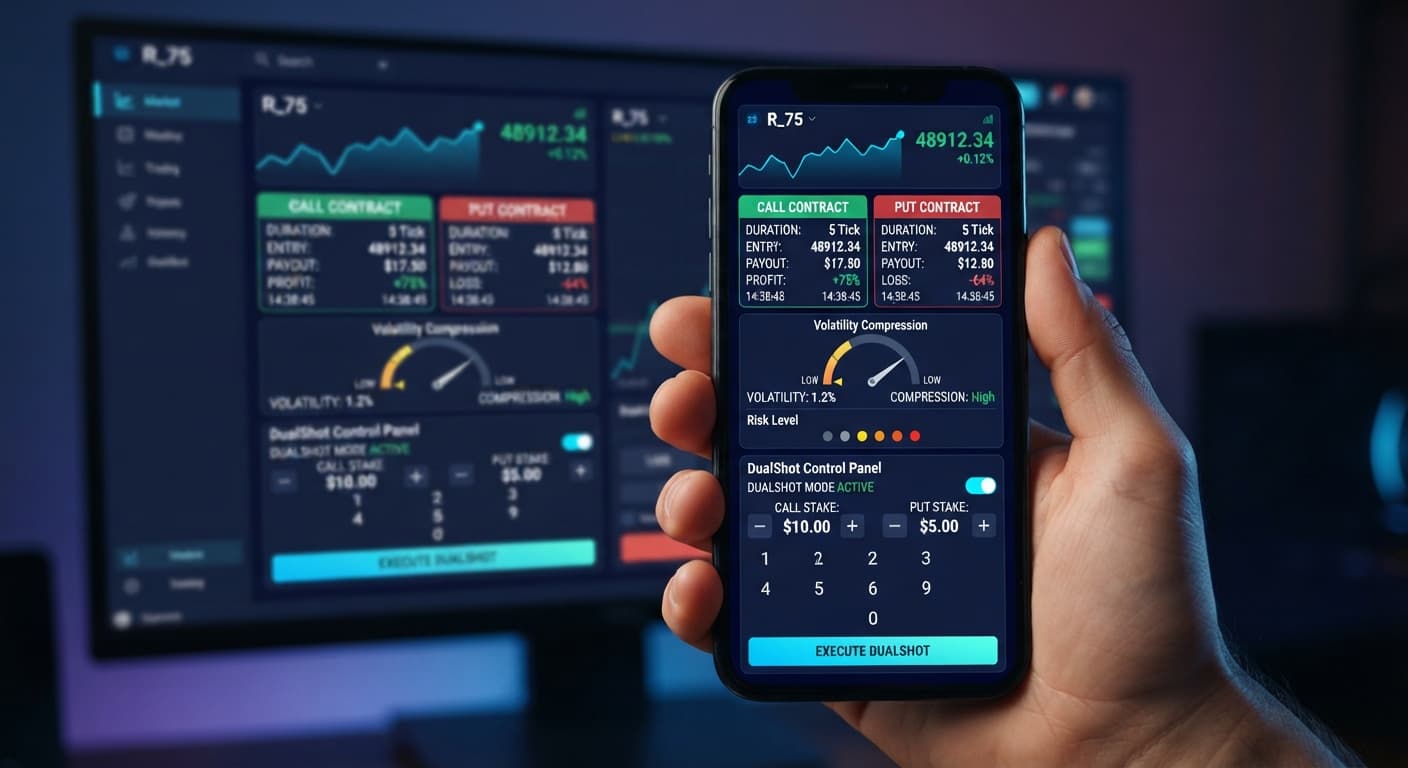
Step 3: Locate your main input box labeled Stake ($). Enter a baseline value appropriate for your total bankroll. Remember, because this engine fires two contracts simultaneously in one click, a $10 input places $20 total in market risk ($10 on CALL, $10 on PUT).
Step 4: Go to the toggle for Risk Level — 🟢 Low Risk (Safer) / 🟡 Medium Risk / 🟠 High Risk / 🔴 Very High Risk. If you're dealing with dropped trades or skipped triggers, drop your selection down from 🔴 Very High Risk to 🟢 Low Risk (Safer) or 🟡 Medium Risk. Lower sensitivity settings give the engine a wider volatility window to bundle both market calls into a single server transmission.
Step 5: Hit the start control on a virtual demo balance to confirm both legs fire on the same tick before switching to real funds.
Deriv imposes strict limits on how many open contracts an account can hold at once. If you already have open trades running from another tab, or if your session quickly cycles through orders, the platform will accept your CALL order and block the PUT order immediately.
To fix this, log into your main platform dashboard and close stagnant trades. Check your broker account limits under account management. If your maximum open contract limit is set to 2, and DualShot tries to fire a new pair while a previous trade is settling, the request gets shut down.
Selecting 🔴 Very High Risk forces the engine to look for hyper-tight price compression before triggering a breakout order. In fast-moving synthetic markets, price can break compression mid-calculation. Another reason you might find DualShot not working during fast trends is that the software detects compression on tick 1, but by tick 2 the market has already expanded, causing the execution trigger to abort mid-sequence.
To fix this, move your selector to 🟡 Medium Risk. This widens the compression detection thresholds and gives the engine enough room to confirm market conditions without dropping half of your trade payload.
Unlike standard binary bots that issue single contracts every few minutes, dual-execution tools maintain an open WebSocket data feed to track compression in real time. If your browser throttles background tabs or runs low on memory, that live data feed stutters. When the breakout signal triggers, the browser stutters on sending the second payload.
To fix this, keep the trading tab open as your primary window. Disable browser hardware acceleration if your tab freezes, and don't keep heavy analytical charts open in background tabs while running an automated trading bot.
Sometimes the issue isn't technical; it's market behavior. Traders see both contracts fail and assume the free deriv bot broke. Remember, DualShot fires a CALL and a PUT at the exact same moment. The outcome depends on the size of the move, not its direction. If the synthetic index flatlines and stays inside a tight range for the duration of the trade, both contracts will expire out of the money.
To fix this, switch indices. If Volatility 10 Index is moving flat with zero range expansion, jump over to Volatility 75 Index or Volatility 100 Index, where tick movement is aggressive enough to push price past the required barrier.
Before risking live capital, verify your execution pipeline on a demo balance. Once your API token is linked, set Stake ($) to 10 and select Risk Level — 🟢 Low Risk (Safer). Start the run and watch your trade log closely through 5 execution cycles.
You're verifying three specific markers:
If your trade log shows a single trade ID or logs an API rate-limit notice, do not switch to real money. Recheck your token scopes, test a lower volatility index, or clear your browser cache to confirm DualShot is not working due to browser caching rather than an API error.
Always test settings on a Deriv demo account before risking real funds. Set a stop loss and a take profit in your trading plan before starting the engine, not after trades are already open. Firing CALL and PUT together doubles your market exposure on every single click; a flat, sideways market will lose on both legs.
Past digit frequency does not change the probability of the next tick. Deriv synthetic indices are independent random draws, and no strategy guarantees a win.
Test your dual-execution strategy today on DualShot using a virtual demo balance first.
If you don't have an account to connect, create a free Deriv account to get your API token.
Trading involves risk. Past performance does not guarantee future results.
Related: Configuring DualShot Risk Levels on BinaryBot.live
Related: Step-by-Step Guide: How to Use DualShot on Deriv Bots
Related: Configuring Tick Picker Settings for Deriv Bots
Related: DualShot Demo Account Setup for Deriv Bots: Simultaneous Trades
Related: DualShot Settings: Configure BinaryBot.live Deriv Bots
Deriv best strategy bot with advanced analysis tools — executes 2 simultaneous trades in one click, firing CALL and PUT contracts at the same time with real-time volatility detection.
Open DualShot →That usually happens because of an API token scope error or an active rate limit trigger from firing simultaneous requests. When the engine fails to place the paired trade, it leaves you with a single unhedged leg or a pending request timeout.
You can resolve over 90% of execution failures instantly by refreshing your API token with full trade permissions and adjusting your Risk Level setting. Just generate a brand-new token in your Deriv account settings with both Read and Trade scope boxes checked.
Simultaneous entries require both order payloads to reach the broker inside the exact same tick window. If your connection drops even slightly, the index moves and Deriv rejects the second order because the barrier price shifted.
You must check both the Read and Trade scope boxes when generating your token, otherwise the script won't have permission to fire live orders. Simply disconnect the tool, clear your browser session, and paste the newly generated token into the connection field.
Guides closest to this one.
Compare dualshot vs manual trading for Deriv bots. Learn how executing simultaneous CALL and PUT trades differs from single-direction execution. Try it free.
Learn how to configure dualshot settings on BinaryBot.live for automated trading bot strategies. Set up your free deriv bot today. Start now!
Master the dualshot demo account setup for deriv bots. Learn step-by-step how to configure simultaneous CALL and PUT trades risk-free. Try it now!